Best Cal AI Alternatives in 2026
The best Cal AI alternative depends on whether you want photo logging, text logging, a verified food database, macro coaching, or a free calorie tracker.

Chris Raroque
Updated

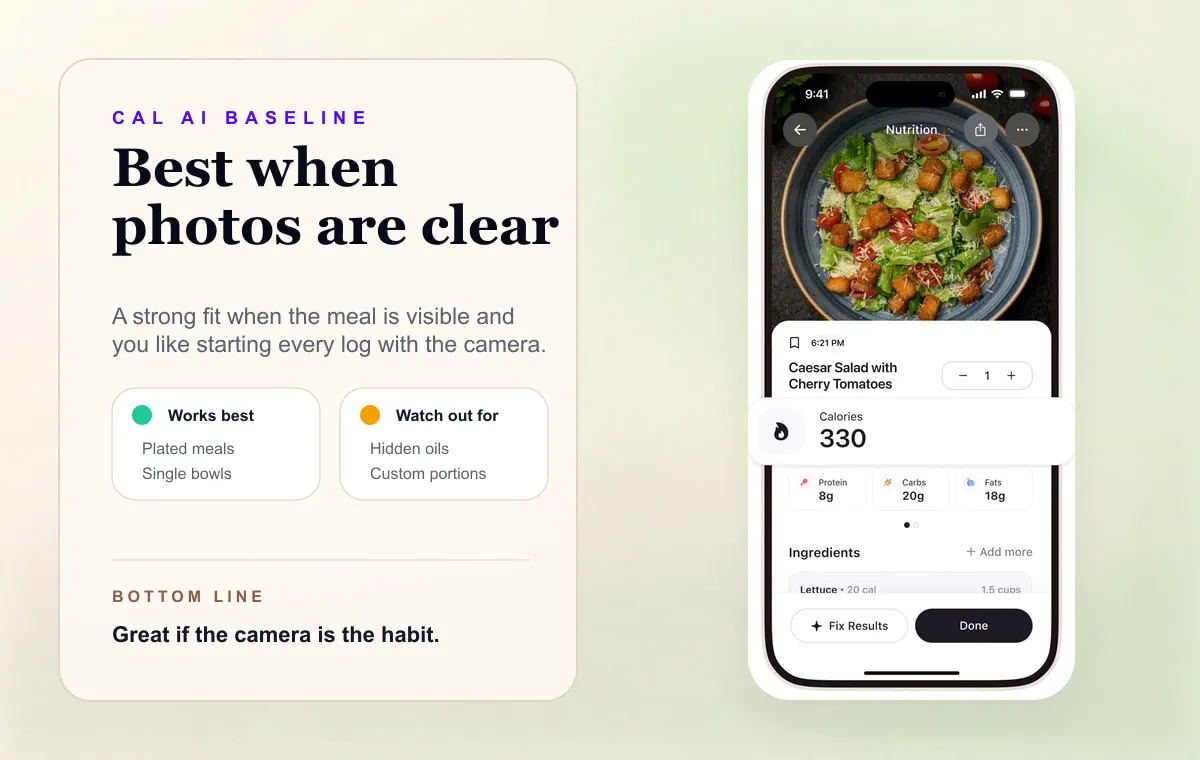
Cal AI is the app people think of when they think “take a photo, get calories.”
That is a real advantage. If your meals are plated clearly and you like using the camera, a photo-first calorie tracker can feel much easier than searching a database. Cal AI’s App Store page describes the core loop simply: set a goal, take a photo of your meal, and get a nutritional breakdown. Its website also lets you scan a barcode or describe your meal, so it isn’t photo-only. Its FAQ says “CalAI is about 80% accurate”; that is the company’s own figure, and we have not found an independent validation of it.
But “photo-first” is not the same as “best for everyone.”
Some people want a Cal AI alternative because they want text logging. Some want a more traditional database. Some want a free tracker. Some want macro coaching. Some want Apple-native polish. And some just want to know what changed after MyFitnessPal acquired Cal AI.
The best alternative depends on what part of Cal AI you actually like.
The Short Answer
If you want a text-first Cal AI alternative, use Amy Food Journal. It lets you type what you ate in normal language instead of taking a photo every time.
If you want the closest photo-first alternative, look at apps built around camera logging and food recognition, then compare how much verification they require.
If you want the largest database, use MyFitnessPal.
If you want nutrition accuracy and micronutrients, use Cronometer.
If you want macro coaching, use MacroFactor.
If you want a free or freemium traditional tracker, compare Lose It, FatSecret, and Cronometer.
Cal AI Alternatives At A Glance
| Alternative | Best For | Main Tradeoff |
|---|---|---|
| Amy Food Journal | Plain-language text logging | iPhone-first, not a database-heavy platform |
| MyFitnessPal | Huge database and broad platform support | Can feel heavy if you only want fast logging |
| Cronometer | Verified nutrition detail and micronutrients | More precise, but slower |
| Lose It | Familiar weight-loss tracking | Barcode, photo, AI voice and macros are Premium |
| MacroFactor | Adaptive macro coaching | Not built for casual logging |
| Foodnoms | Apple-native nutrition tracking | More structured than notes-style logging |
| MyNetDiary | Traditional diet assistant | Conventional tracker feel |
| Apple Notes | Free manual food journaling | No automatic calorie math |
Why People Look For Cal AI Alternatives
There are four common reasons.

1. Photo Logging Does Not Fit Every Meal
Photos are great when the meal is visible: salad, bowl, sandwich, breakfast plate, packaged item with a label.
Photos are weaker when the important information is hidden: oil in a pan, dressing under greens, two spoonfuls of peanut butter, a burrito’s fillings, a restaurant customization, or leftovers that look nothing like the original recipe.
In those cases, text can be clearer than a picture.
Writing “burrito bowl with chicken, rice, beans, corn, cheese, guac, sour cream” often gives the app more useful information than a photo of a closed container.
2. Verification Can Become The New Friction
AI calorie apps feel magical when the first estimate is close.
When it is not close, the workflow becomes: take photo, inspect result, fix ingredients, adjust portions, confirm macros. That is still easier than a database for some people. For others, it becomes the same kind of chore with a nicer camera moment.
The question is not whether AI works. It is whether the workflow still feels light after the novelty wears off.
3. People Want A Different Price Or Platform
Some users want a free tracker. Some want Android. Some want web. Some want Apple Health integrations. Some want a traditional database because it feels more controllable.
That is why the best alternative is not always another photo app.
4. Cal AI Became Part Of The Bigger MyFitnessPal Story
In March 2026, TechCrunch reported that MyFitnessPal acquired Cal AI. TechCrunch later reported on Apple’s enforcement action around Cal AI’s App Store billing flow. Those stories do not mean Cal AI is a bad app. They do mean it is now part of a larger calorie-tracking market shift: older nutrition platforms are buying or building AI workflows instead of treating them as side features.
For users, that makes the choice more interesting. You are not just choosing an app. You are choosing a logging philosophy.
1. Amy Food Journal - Best Text-First Cal AI Alternative
Amy Food Journal is the best Cal AI alternative if your real issue is not “I need a different camera app.” It is “I do not always want to use the camera.”
Amy’s default workflow is plain text:
coffee with oat milk, turkey sandwich, chips, pickle
or:
Taco Bell, two crunchy tacos and Baja Blast Zero Sugar
The app estimates calories and macros from the sentence, then keeps the log attached to your day.
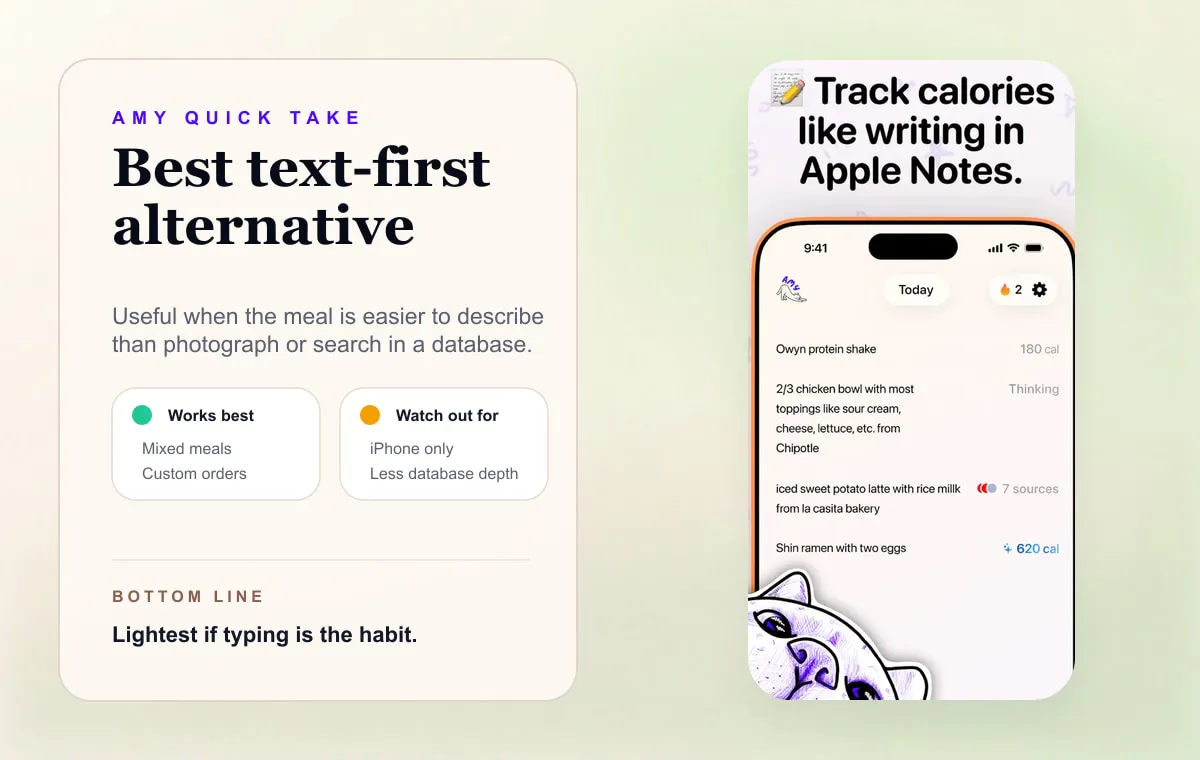
Amy is not trying to replace every Cal AI feature. It is trying to solve a narrower problem: make food logging feel like writing a note, with calorie math handled automatically.
Choose Amy if:
- You like the idea of AI calorie tracking but do not want every log to start with a photo.
- You often eat mixed meals, leftovers, snacks, or restaurant customizations.
- You have quit database trackers because logging took too long.
- You use an iPhone and want the habit to feel light.
Skip Amy if you need Android, web logging, detailed micronutrients, or a traditional food database as the center of the app.
2. MyFitnessPal - Best If You Want Database Plus AI
MyFitnessPal is the obvious alternative if you want a mature calorie-tracking platform and do not mind a more complex product.
It has the database, web and Android support, device integrations, and a familiar food diary. Its Premium features include barcode scanning, Meal Scan photo logging and voice logging, and MyFitnessPal now owns Cal AI.
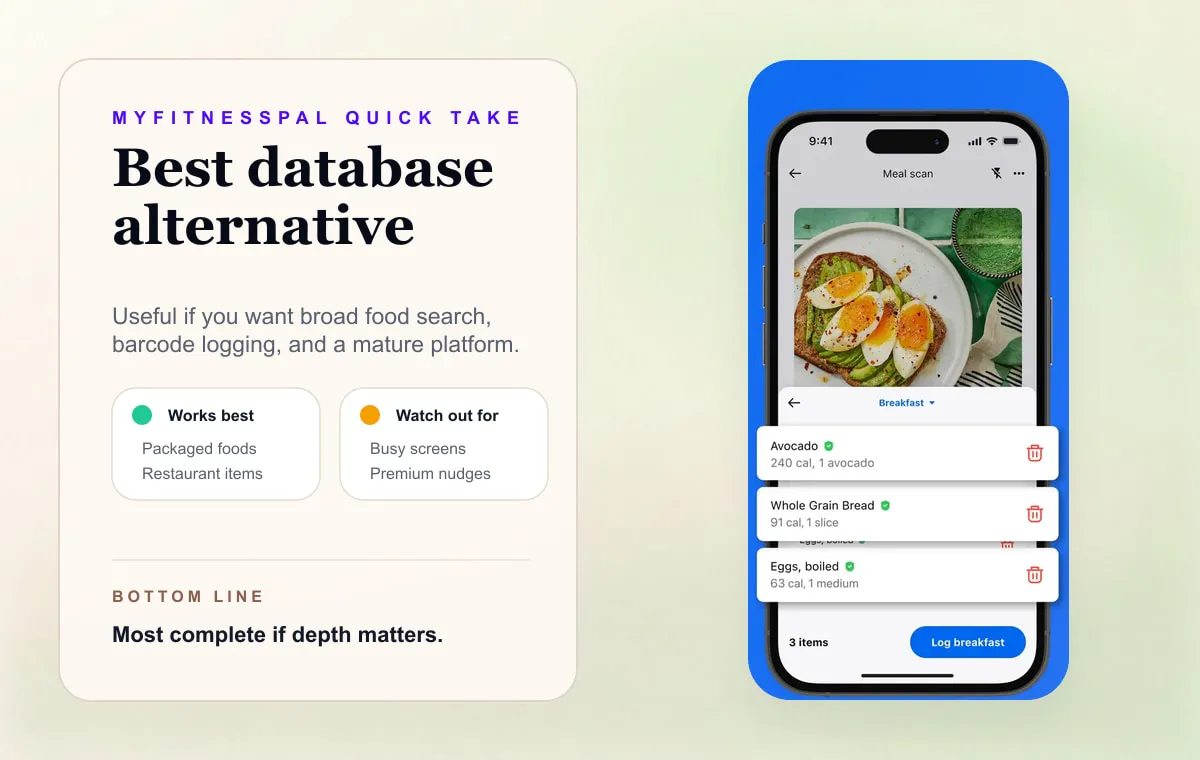
The tradeoff is friction. If you left Cal AI because you want more control and more database depth, MyFitnessPal makes sense. If you are looking for something calmer, it may feel like moving in the wrong direction.
Read why people quit MyFitnessPal for the honest version of that tradeoff.
3. Cronometer - Best For Accuracy And Micronutrients
Cronometer is the better alternative when you care less about photos and more about nutrition detail.
Its official site emphasizes accurate calorie, macro, and micronutrient tracking. That makes it a strong choice if you are tracking fiber, sodium, iron, vitamin D, electrolytes, or specific nutrients with professional guidance.
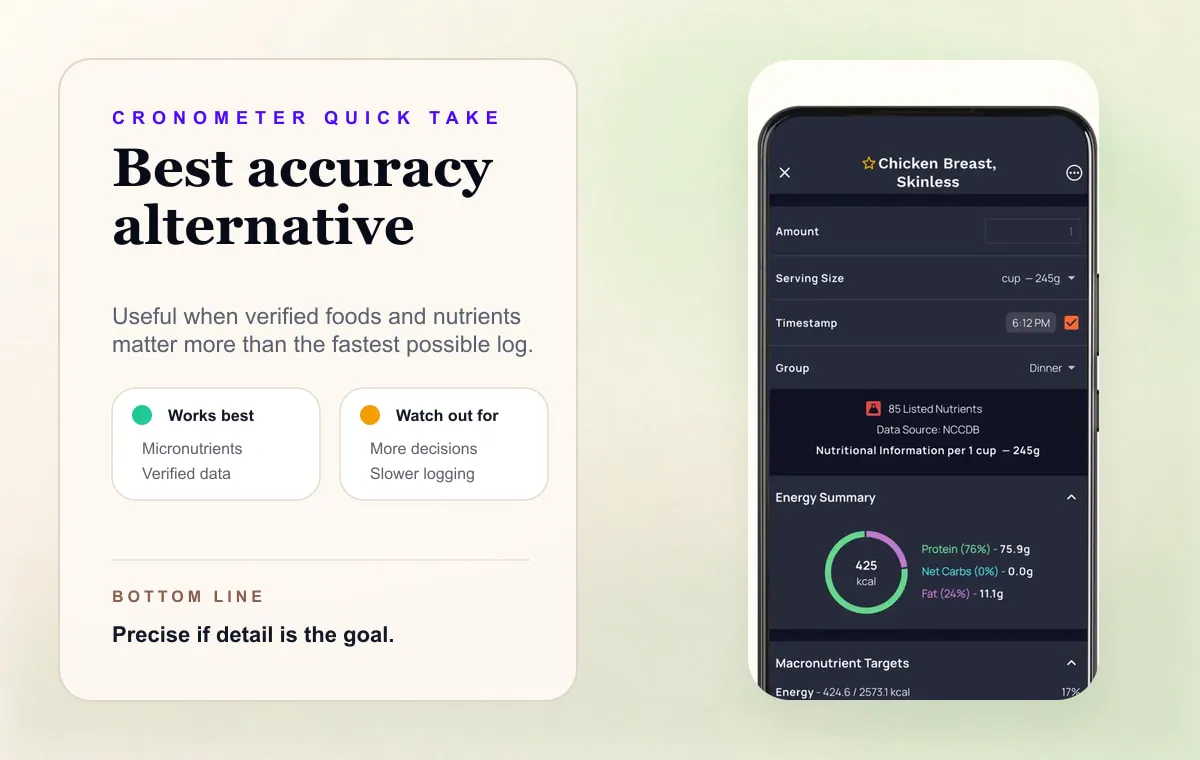
Cronometer is not the lightest workflow. It is a precision tool. If that is what you want, it is excellent. If you want the fastest log, it may feel too detailed.
4. Lose It - Best Familiar Freemium Alternative
Lose It is a good option if you want a friendly, traditional weight-loss tracker. Its free plan covers calorie budgets, weight tracking, and a familiar food diary flow. Its US App Store listing puts Photo Meal Logging, AI Voice, the Barcode Scanner and advanced tracking, including macros, under Premium.
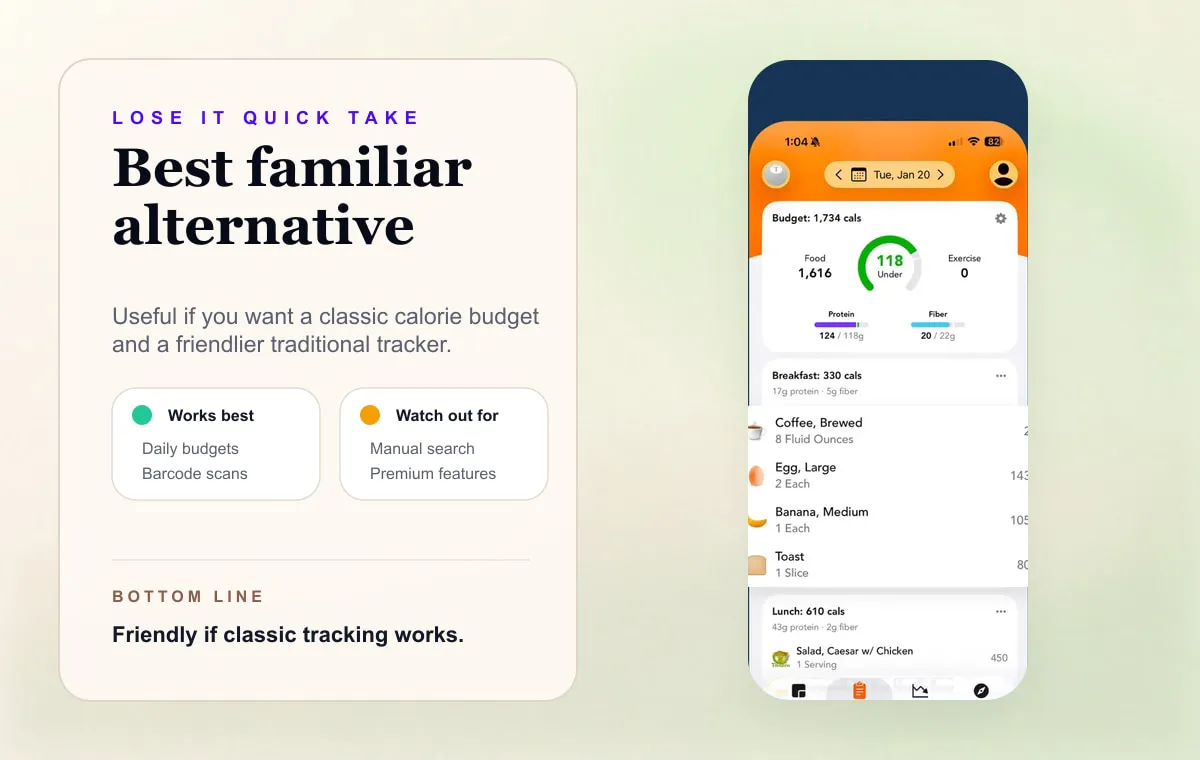
Choose Lose It if you want something more conventional than Cal AI but less intimidating than a full nutrition-data app.
Skip it if database search is the part that makes you quit.
5. MacroFactor - Best If Coaching Matters More Than AI
MacroFactor is not a Cal AI clone. That is the point.
It is the better option if you want adaptive calorie and macro targets based on your logged intake and body-weight trend. Its App Store listing shows paid subscription pricing and no permanent free tier, so it is not a casual free alternative.
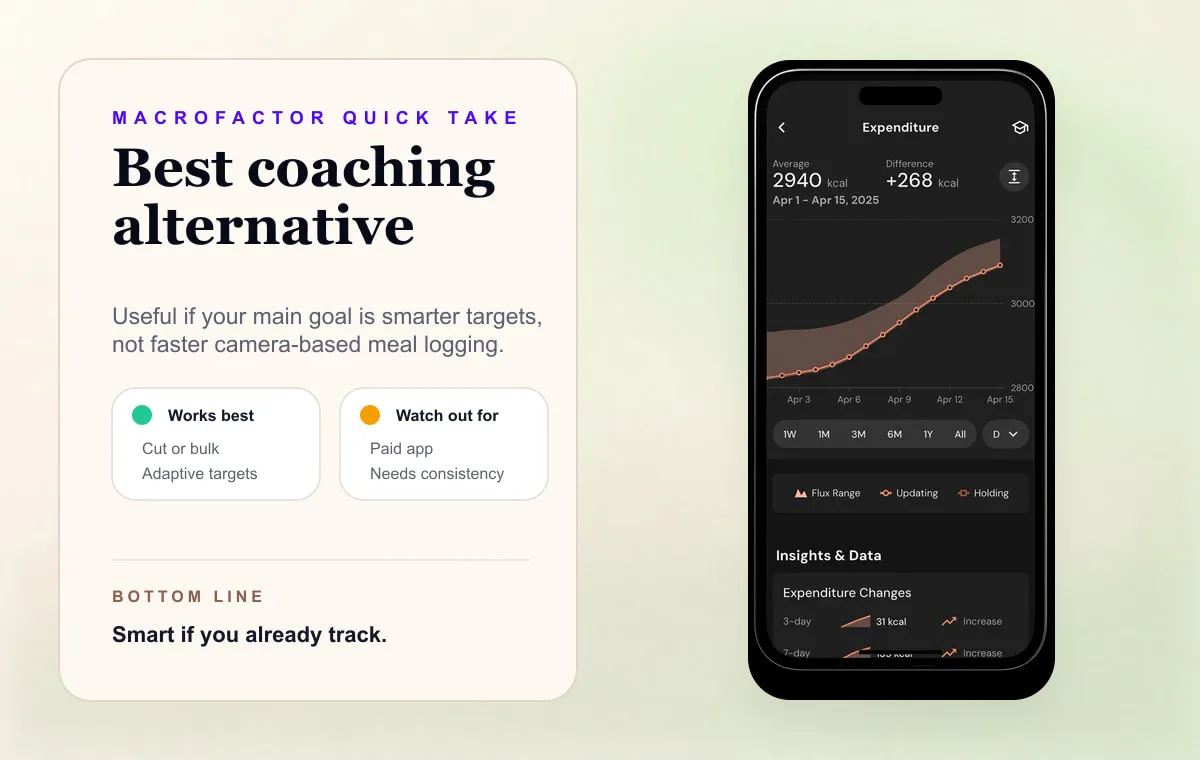
Choose MacroFactor if you lift, cut, bulk, or want algorithmic macro coaching.
Do not choose it just because you want faster food logging. It is powerful, but it asks for consistent data.
6. Foodnoms - Best Apple-Native Alternative
Foodnoms is worth considering if you want an iOS-first nutrition tracker with a cleaner feel than older database apps.
Its official site describes meal logging, nutrition tracking, barcode/label workflows, and Apple-friendly integrations. It is more structured than Amy, but more modern-feeling than many legacy trackers.
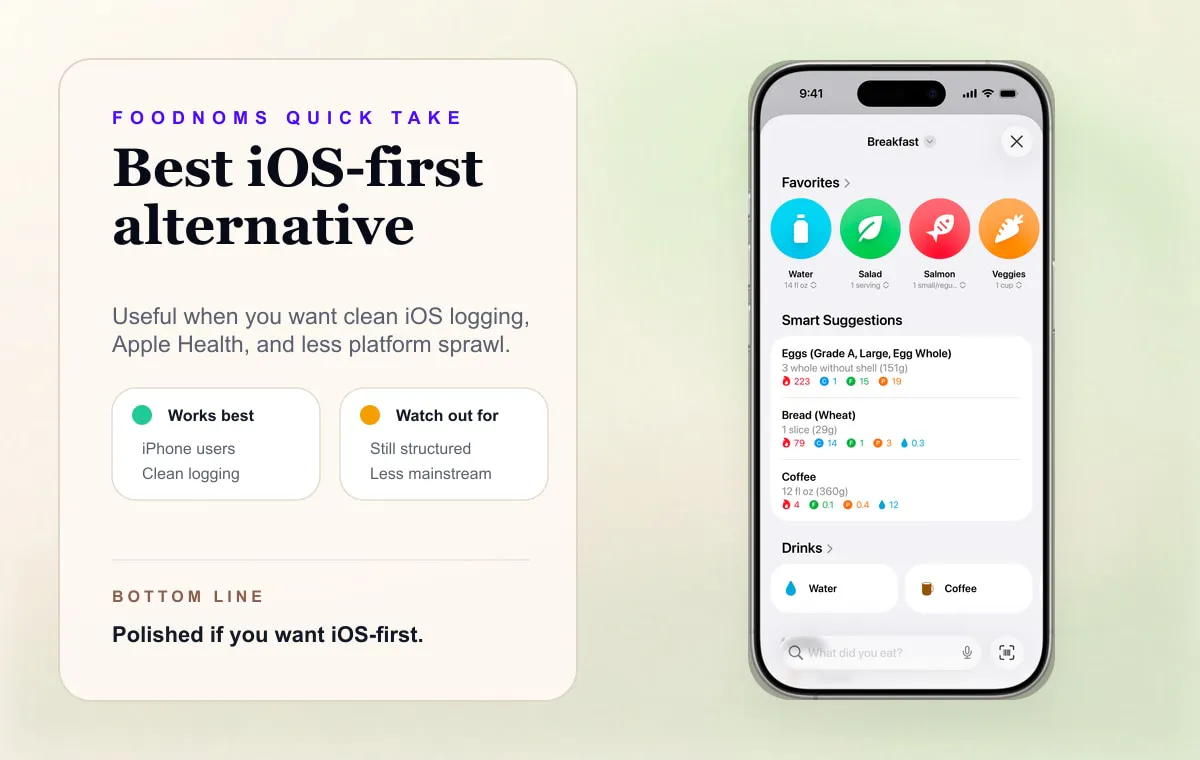
Choose Foodnoms if you want Apple-native polish and do not need Cal AI’s camera-first identity.
7. MyNetDiary - Best Traditional Diet Assistant
MyNetDiary is a traditional calorie counter and diet assistant with a free tier and optional Premium features. Its official site emphasizes a staff-verified database, barcode scanner, macros, water, exercise, and newer AI features like voice logging and restaurant menu scanning.
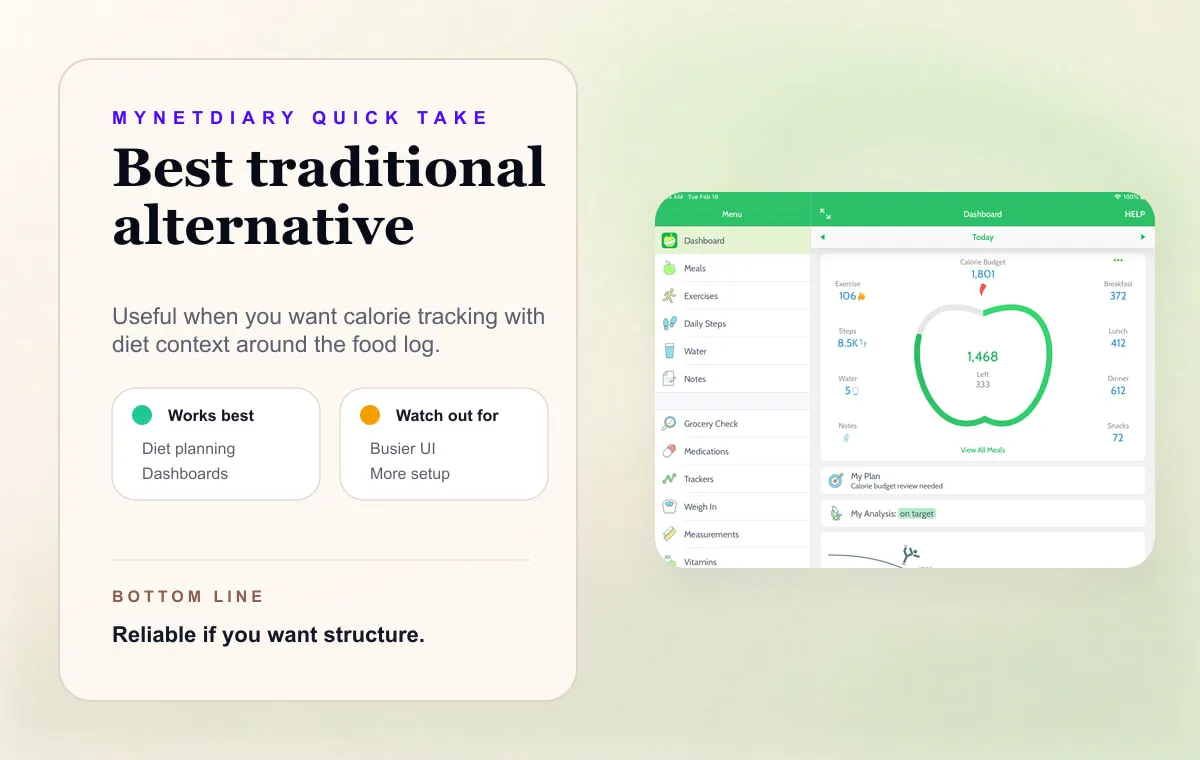
Choose it if you want a broad diet assistant rather than a minimal logging habit.
Text vs Photo: Which Is Better?
Neither is universally better.
| Meal Type | Better Input |
|---|---|
| Clear plated meal | Photo |
| Packaged food with label | Barcode or label scan |
| Restaurant order with customizations | Text |
| Leftovers or mixed bowl | Text |
| Homemade recipe | Recipe calculator or manual ingredients |
| Snack plate | Photo or text |
| Coffee order | Text |
The best calorie tracker may be the one that lets you switch methods without making you think about the method.
This is why Amy’s positioning is deliberately simple: text is the default because text works for the widest range of real meals. Photos are useful, but they are not always the path of least resistance.
Which Cal AI Alternative Should You Choose?

If you like Cal AI but want less camera dependence, choose Amy.
If you like Cal AI but want a bigger platform, choose MyFitnessPal.
If you like calorie tracking but want more nutrition depth, choose Cronometer.
If you want a conventional weight-loss tracker, choose Lose It.
If you want macro coaching, choose MacroFactor.
If you are still unsure, run the two-day test from the Apple Notes calorie tracker guide. On day one, log with photos. On day two, log with plain text. Then ask:
Which one would I still do when I am tired?
That answer is more useful than another feature grid.
FAQ
What is the best Cal AI alternative?
Amy is the best Cal AI alternative if you want text-first calorie logging. MyFitnessPal is the best alternative if you want a larger database and broader platform. Cronometer is best for detailed nutrition accuracy. MacroFactor is best for adaptive macro coaching.
Is there a free Cal AI alternative?
If you want a free or freemium tracker, compare Cronometer, Lose It, and FatSecret. They are not direct Cal AI clones, but they can track calories without relying on a camera-first workflow. Cronometer and FatSecret label barcode scanning as free; Lose It’s current US listing puts its scanner, photo logging and macros in Premium. For more options, read free calorie tracking apps with no subscription.
Is Cal AI still worth using?
Yes, if you like photo-first logging and your meals are usually easy to photograph. It is less ideal if most of your meals are custom, mixed, hidden inside packaging, or easier to describe than photograph.
Did MyFitnessPal acquire Cal AI?
Yes. TechCrunch reported in March 2026 that MyFitnessPal acquired Cal AI. That makes Cal AI part of a larger AI nutrition strategy rather than just an independent photo-calorie app.
Why was Cal AI removed from the App Store?
TechCrunch reported in April 2026 that Apple said Cal AI was removed over App Store billing-flow and rule-enforcement issues, then the app appeared back on the App Store. That is business/platform context, not a direct statement about food-logging quality.
Is text logging better than photo logging?
Text logging is better when the important details are not visible. Photo logging is better when the meal is clearly plated and the image gives the app enough information. A good tracker should make the easiest input obvious.
What if I want both AI photos and simple typing?
Look for an app that treats photo, text, barcode, and manual edits as complementary inputs. Amy is built around plain-language text, with photo, voice and barcode as other options. Cal AI leads with the camera and also offers barcode and description logging.
Keep Reading
All articlesComparisons
Text vs Photo Calorie Tracking: Which One Works Better?
Text vs photo calorie tracking compared by meal type, accuracy, friction, and real-life use. Learn when to type, scan, photograph, or use a recipe calculator.
Guides
How to Describe a Meal When You Log Food by Voice
What to say when you log a meal by voice, how to check the words before the estimate, and when to use your iPhone or Apple Watch in Amy.
Guides
The Easiest Calorie Tracker App Is the One You Will Actually Use
The easiest calorie tracker app is not always the most powerful one. Learn how to choose a low-friction tracker by logging style, meal type, and habit fit.
Guides
Why People Quit MyFitnessPal (And What To Use Instead)
MyFitnessPal is still powerful, but many people leave because daily logging feels heavy. Here is what breaks down, what to try instead, and when to keep using it.