Amy vs Cronometer (2026): Fast Logging or Deep Nutrition?
Compare Amy and Cronometer on text, photo and voice logging, micronutrients, verified foods, pricing, platforms, and which daily workflow fits you.

Chris Raroque
Updated
Cronometer and Amy are both nutrition trackers, but the similarity ends quickly.
Cronometer is built for people who want to inspect the nutritional record. Its current US listing advertises more than 1.1 million verified foods and up to 95 nutrients and other compounds. The free plan includes barcode scanning and detailed tracking. Gold adds Photo Log, Voice Log, recipe import, longer reports, and more automation.
Amy is built for people who want to complete the food journal with less ceremony. You type the meal in normal language, Amy searches current nutrition sources, and you review an editable calorie-and-macro estimate. Camera, barcode, and Apple Watch voice logging are available, but the app does not try to reproduce Cronometer’s micronutrient laboratory.
Choose Cronometer when the nutrient detail changes a decision. Choose Amy when reducing the daily input is the decision.
Quick comparison
| Feature | Cronometer | Amy Food Journal |
|---|---|---|
| Default logging style | Search a curated food database | Type a meal in plain language |
| Other input methods | Free barcode; Gold photo and voice | Camera, barcode, Apple Watch voice |
| Nutrition source model | 1.1M+ verified foods advertised | Fresh web nutrition search for the description |
| Nutrient depth | up to 95 nutrients and other compounds advertised | Calories and headline macros |
| Free plan | Yes | Three-day trial only |
| US monthly price | Gold: $10.99 | $9.99 |
| US annual price | Gold: $59.99 | $99.99 |
| Platforms | iOS, Android, web, Apple Watch | iPhone, iPad, Mac, Apple Watch, Apple Vision |
| Integrations | Apple Health, Fitbit, Garmin, Oura, Whoop, and more | Apple Health-focused |
| Best fit | Nutrient analysis and traceable food records | Calm text-first calorie and macro logging |
The plan and platform details above were checked against current Cronometer, Amy, and US App Store pages on September 19, 2026. Availability and pricing can vary by market.
The real difference is what you want after logging
Imagine dinner was salmon roasted with olive oil, a cup and a half of rice, broccoli, and a spoonful of teriyaki sauce.
Cronometer can turn those foods into a detailed report covering energy, protein, carbohydrates, fat, fiber, sodium, vitamins, minerals, fatty acids, and more, depending on the selected records. That depth is useful if you are monitoring sodium, iron, B12, calcium, omega-3 intake, or another specific target.
Amy can turn the sentence into a calorie-and-macro record using current nutrition search, show the interpretation, and let you correct the amounts. It does not answer the same micronutrient questions.
The apps are not two levels of the same product. They are different stopping points. Cronometer keeps going into analysis. Amy stops after the simpler journal has done its job.
Cronometer wins on nutrient depth
A curated food-record approach
Cronometer emphasizes verified and lab-analyzed food records. This makes the source easier to inspect when precision matters. The user can distinguish a standardized food, a branded label, and a custom entry rather than treating every search result as interchangeable.
That still does not measure the meal. A correct raw salmon record can be wrong for cooked weight. A perfect label can be wrong for the amount eaten. A restaurant recipe can change. Our guide to why calories differ between apps explains how cooked state, grams, serving units, and source selection change the total.
Micronutrients are visible without an upgrade
The free plan already exposes far more nutrient detail than Amy. This can matter for a vegan monitoring B12 and iron, an endurance athlete reviewing iron and carbohydrate intake, or someone working with a dietitian on a documented nutrition concern.
Amy is not a substitute for that job. A simpler calorie-and-macro screen is only an advantage when those are the numbers you need.
The free plan is a complete starting point
Cronometer lets free users log food, scan barcodes, create custom foods and recipes, sync supported services, and view shorter reports. If you are not sure whether detailed nutrition tracking helps, test it before paying.
Gold is $10.99 per month or $59.99 per year in the current US listing. It adds Photo Log, Voice Log, longer-range insights, recipe import, repeat items, scheduling, fasting, more organization, and removes ads. The current Cronometer Gold page lists the feature boundaries.
Amy wins on making the journal feel smaller
A meal can begin as a sentence
Amy’s default interaction is close to the note a person might write before opening a nutrition app:
Half a turkey pesto sandwich, tomato soup, and an oat milk latte from the cafe downstairs.
The description gives the search system context about the components, restaurant, and preparation. The result is still an estimate, but it starts from the meal as remembered rather than asking the user to choose each database record first.
That difference is most useful for mixed leftovers, local restaurant food, homemade bowls, and modifications. A barcode remains the better tool for a packaged product. A saved recipe remains the better tool for a repeated measured batch.
Current search helps when the food is not already neatly cataloged
Cronometer’s curated database is a strength for traceable standard foods. Amy’s current web search is a strength for the long tail: a new menu, a local bakery item, an unusual product, or a meal description with several clues.
Search does not guarantee accuracy. It can find a current source and still misread the portion. Amy’s advantage is the evidence-gathering path and editable output, not a universal accuracy percentage.
Less output can be easier to live with
Amy focuses on calories and macros. It does not show a dense panel of vitamins and minerals after every meal. For someone who wants those nutrients, that is a major limitation. For someone who finds detailed dashboards discouraging, it can make the log easier to revisit.
Our guide to the easiest calorie tracker explains why the best interface depends on the meal and the question, not the number of features.
Cronometer has modern AI logging too
An old version of this comparison said Cronometer had no photo logging. That is wrong in 2026.
Cronometer Gold includes:
- Photo Log, which identifies likely ingredients and servings from a meal image.
- Voice Log, which lets a user speak ingredients.
- Siri food logging on supported Apple devices.
Amy is not differentiated merely because it accepts a photo or words. The narrower distinction is that text-first logging and current source search are the center of Amy, while Cronometer uses photo and voice to accelerate a deeper database-and-analysis product.
In both apps, inspect portions, oils, sauces, and mixed ingredients. The current research on AI calorie estimate accuracy does not support treating either photo workflow as a measurement.
Price and value
Cronometer is the less expensive product annually.
- Cronometer Free: $0 for the core diary, barcode, and nutrient tracking.
- Cronometer Gold: $10.99 monthly or $59.99 annually in the current US App Store listing.
- Amy: three-day trial, then $9.99 monthly or $99.99 annually.
Amy is one dollar cheaper on the monthly comparison and forty dollars more on the annual comparison. Calling Amy the lower-priced option without that context is misleading.
Value depends on the recurring job. Cronometer Gold gives more analytical capability per dollar. Amy can still be worth more to a person who consistently completes its smaller text-first workflow and repeatedly abandons a more detailed tracker.
Platform and integrations
Cronometer is available on iOS, Android, the web, and Apple Watch. It connects with Apple Health, Fitbit, Garmin, Oura, Whoop, and other services. This makes it the better fit for a mixed-device household or an athlete with several data sources.
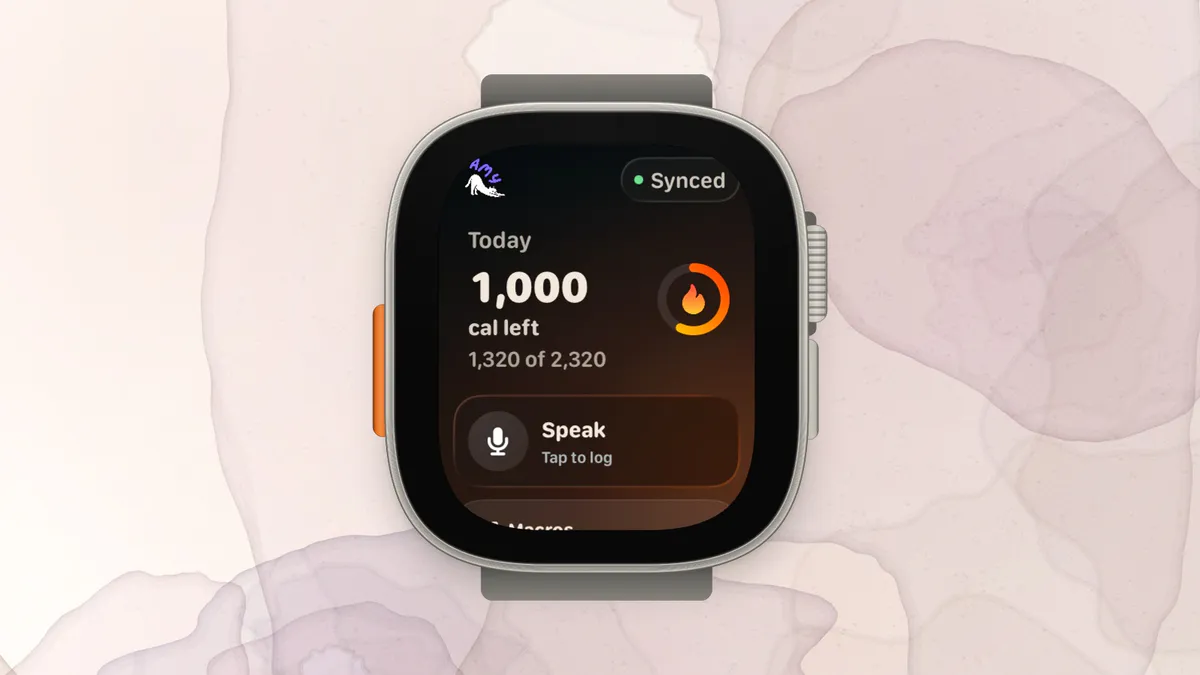
Amy is an Apple-platform product. The current listing supports iPhone, iPad, Apple Watch, compatible Macs, and Apple Vision. Apple Health is the main health-data connection. There is no Android version.
This is a hard requirement, not a subjective score. Choose Cronometer if you need Android, a browser diary, or a broader integration list.
Which app should you choose?
Choose Cronometer if:
- You need vitamins, minerals, amino acids, or fatty-acid data.
- A dietitian or clinician has asked you to monitor specific nutrients.
- You want barcode scanning and a capable diary for free.
- You use Android, web, or several fitness integrations.
- Recipes and long-range nutrient reports are part of the job.
- You prefer selecting a traceable standardized food record.
Choose Amy if:
- You use Apple devices and want a focused personal journal.
- You often eat mixed, modified, homemade, or local restaurant meals.
- Writing the meal feels easier than reconstructing it from database entries.
- Current nutrition search and an editable estimate matter more than 95 nutrient fields.
- You have already tried more detailed trackers and stopped using them.
Choose neither if:
- Tracking makes you anxious, rigid, or preoccupied with food.
- You need a clinical dietary assessment rather than a consumer estimate.
- You are unwilling to review portions and important ingredients.
- You need a free Apple-first journal but do not need Cronometer’s depth; consider Foodnoms and the other options in our free tracker guide.
A practical two-day test
Use one ordinary day and one difficult day.
On the ordinary day, log a barcode, a repeated breakfast, and a simple dinner. Both apps should feel competent.
On the difficult day, log leftovers, a restaurant modification, and a mixed homemade dish. In Cronometer, try the free search workflow or Gold Photo/Voice Log. In Amy, type the full description and inspect the source-backed result.
Then ask:
- Did you finish the entries?
- Could you correct the biggest uncertainty quickly?
- Did the extra nutrient output change a decision?
- Did you want to open the app again the next day?
If the nutrient report changed a decision, choose Cronometer. If the smaller journal changed whether you logged at all, Amy has a credible reason to cost more.
Frequently asked questions
Is Amy cheaper than Cronometer?
Amy is slightly cheaper monthly at $9.99 versus Cronometer Gold at $10.99. Amy is more expensive annually at $99.99 versus Cronometer Gold at $59.99. Cronometer also has a permanent free plan.
Does Cronometer have photo and voice logging?
Yes. Photo Log and Voice Log are current Gold features. Siri food logging is also available on supported Apple devices.
Which app tracks more nutrients?
Cronometer, by a wide margin. Its current listing advertises up to 95 nutrients and other compounds. Amy focuses on calories and headline macros.
Which app is better for restaurant food?
Amy is useful for a detailed local restaurant description because it can run a current nutrition search. Cronometer is strong when an official or matching record exists, and Gold Photo/Voice Log can speed up entry. Neither knows hidden oil or an unknown portion without user input.
Which app is more accurate?
Accuracy depends on the meal, source, serving amount, and correction. Cronometer makes verified records easier to select. Amy can search current sources for a specific description. Neither approach removes portion uncertainty, so there is no honest universal winner.
Can Amy replace Cronometer for a vegan diet?
Not when detailed B12, iron, calcium, zinc, or fatty-acid monitoring is part of the goal. Cronometer is the better tool for that use case. Amy can still serve as a simpler calorie-and-macro journal, but it does not replace the nutrient report.
This comparison was fact-checked against first-party Cronometer, Amy, and Apple pages on September 19, 2026. It is general product information, not medical or nutrition advice.
Keep Reading
All articlesComparisons
Amy vs MyFitnessPal (2026): Which Calorie Tracker Fits You?
Compare Amy and MyFitnessPal on logging style, price, platforms, AI tools, integrations, and accuracy. Plus alternatives for free and micronutrient tracking.
Comparisons
Text vs Photo Calorie Tracking: Which One Works Better?
Text vs photo calorie tracking compared by meal type, accuracy, friction, and real-life use. Learn when to type, scan, photograph, or use a recipe calculator.
Guides
Apple Notes Calorie Tracker: The Simple Way to Log Food
How to use Apple Notes as a calorie tracker, where the manual method breaks, and when a notes-style calorie app starts to make sense.
Comparisons
Best Cal AI Alternatives in 2026
The best Cal AI alternative depends on whether you want photo logging, text logging, a verified food database, macro coaching, or a free calorie tracker.