Why People Quit MyFitnessPal (And What To Use Instead)
MyFitnessPal is still powerful, but many people leave because daily logging feels heavy. Here is what breaks down, what to try instead, and when to keep using it.

Chris Raroque
Updated

People usually do not quit MyFitnessPal because it is missing features. They quit because the app asks them to keep making tiny decisions at the exact moment they have the least patience for tiny decisions.
Search for the right food. Pick between near-matching entries. Fix the serving size. Add the oil. Remember the sauce. Close the upsell. Do it again for dinner.
MyFitnessPal is still a strong choice if you want the biggest database, Android and web access, a long list of device integrations, and a more complete nutrition system. Its App Store listing says it supports 20.5 million-plus foods and connects with 40-plus fitness trackers, smartwatches, and health apps. That scale is useful.
Our full MyFitnessPal review looks at those strengths, the current free and paid experience, and who should keep using it.
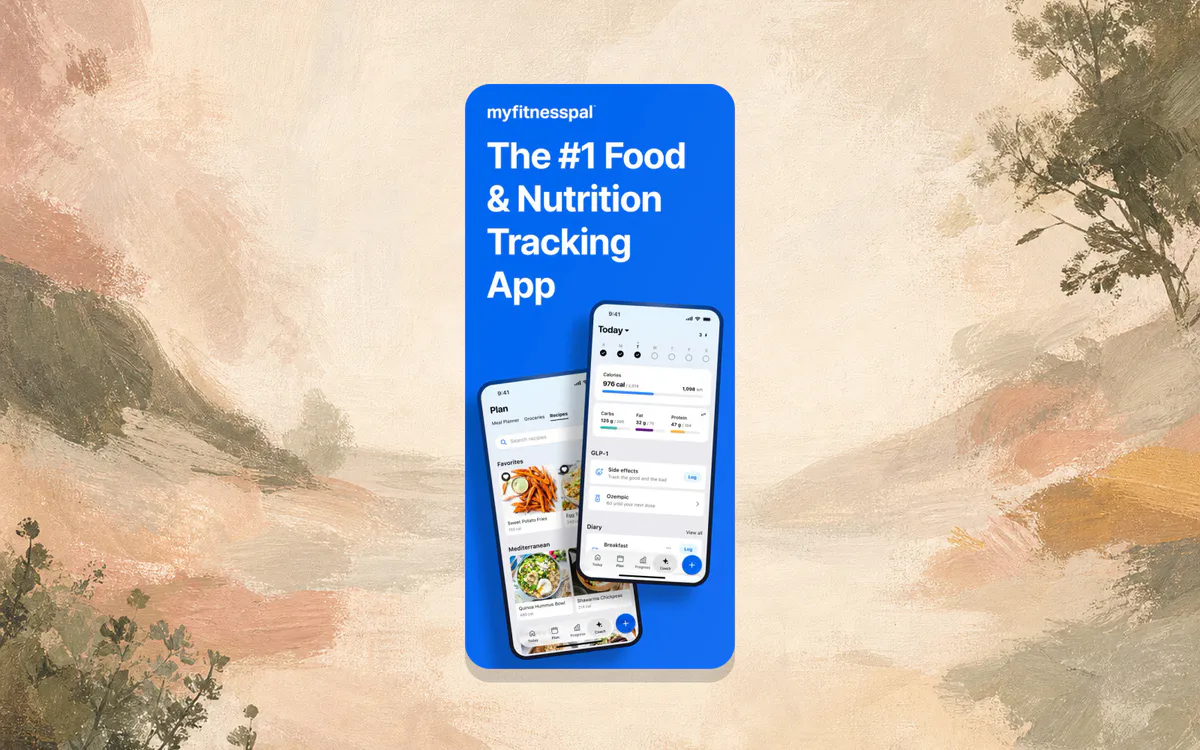
But if your real problem is that you stop logging after three days, more scale may not help. You may need a lighter workflow: a calorie tracker like Apple Notes, a genuinely free calorie tracking app, or an app that lets you type what you ate and move on.
The Short Answer
People quit MyFitnessPal when the effort of logging starts to feel bigger than the value of the data. The common triggers are slow meal entry, too many database choices, premium prompts, a dashboard that is broader than the user’s goal, and exercise calories that make the daily target feel less clear.
The best replacement depends on the reason you quit. Stay with MyFitnessPal if you need the large database, Android or web access, fitness integrations, community, and detailed nutrition tools. Switch to a lighter food log if your real problem is consistency.
If MyFitnessPal works for you, keep using it. There is no prize for switching away from a system that you actually open every day.
If you keep quitting, the problem is probably one of these:
| Why MyFitnessPal Gets Annoying | What To Try Instead |
|---|---|
| Logging a normal meal takes too many taps | Use a notes-style tracker like Amy or Apple Notes |
| Food search makes you second-guess every entry | Use simpler entries and accept estimates, or try an AI calorie counter |
| Premium features make the free app feel noisy | Compare genuinely free calorie tracking apps |
| The dashboard feels bigger than your goal | Pick an app built around one job: logging food |
| Exercise calories confuse your daily target | Track food first, then treat activity as context |
The uncomfortable truth is that most people do not need the most complete calorie tracker. They need the one they will still use on a regular Tuesday night.
1. A Normal Meal Can Become A Project
Database logging is powerful when the meal is simple.
A protein bar is easy. Scan the barcode, confirm the serving, done. A packaged yogurt is easy too. So is a repeat breakfast you have already saved.
Dinner is where the workflow starts to wobble.
Take a normal lunch: chicken bowl with white rice, black beans, corn, cheese, guac, and salsa.
In MyFitnessPal, you may search for a full “chicken bowl” entry and hope it is close. Or you may log each ingredient separately: chicken, rice, beans, corn, cheese, guacamole, salsa. That second method is more accurate, but it also turns one meal into seven little chores.
That is not a moral failure. It is just the shape of database tracking. It rewards precision, but precision costs attention.

This is the main reason a notes-style workflow can feel calmer. In Apple Notes, you can write the meal and come back later. In Amy, you type the same meal in plain language and get an estimate with calories and macros.
The input is still the sentence you were going to write anyway.
2. Food Search Creates Decision Fatigue
MyFitnessPal’s database is one of its biggest advantages. It is also one of the reasons people bounce.
The App Store listing currently describes “20.5M+ foods, including restaurant dishes.” That means you are more likely to find an obscure frozen meal, a chain-restaurant bowl, or a regional packaged snack.
The tradeoff is that a search result can become a small judgment call.
Is this the right grilled chicken? Was the serving 4 ounces or 6? Is this restaurant entry current? Does the rice include oil? Did someone else create this entry with the wrong calories?
Sometimes the answer is obvious. Sometimes you stare at six similar options and pick the one that feels least wrong.
For people who like precision, that control is reassuring. For people who are trying to build the habit, it can be enough friction to stop the habit before it forms. Our calorie counting for beginners guide makes the same point in a broader way: the first goal is consistency, not perfect data.
3. Premium Has Become Part Of The Experience
MyFitnessPal still has a free version. Its help center lists free features including food and exercise logging, weight and measurement tracking, custom foods, meals and recipes, macro viewing, diary sharing, partner app links, and goal customization by percentage.
So the question is not “is MyFitnessPal free?” It is more practical than that: does the free experience feel good enough for the way you want to log?
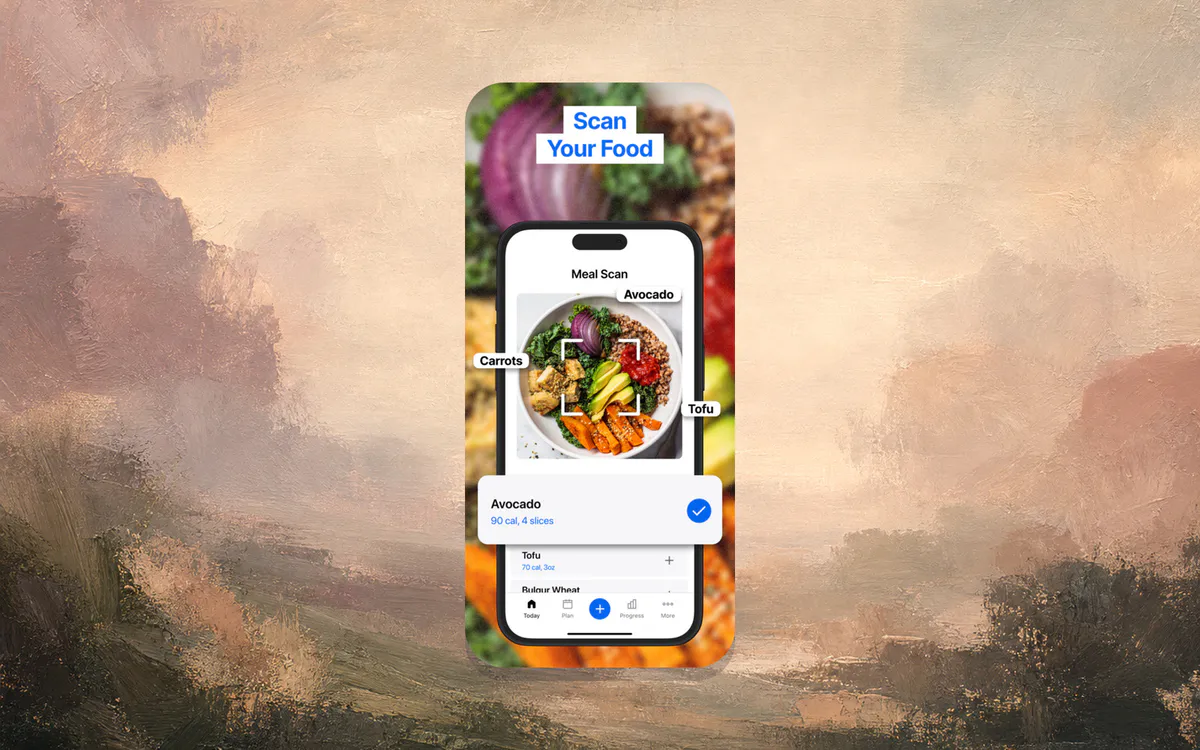
MyFitnessPal’s own Premium page currently lists Premium at $79.99 per year and Premium+ at $99.99 per year when billed annually. The Premium feature list includes ad-free use, macronutrients by gram, food analysis, quick-add macros, custom goals by day, data export, food timestamps, net carbs, barcode scan, Meal Scan, multi-day logging, and voice logging.
Those are real features. Many are useful. But the line between free and paid is now a constant part of the product.
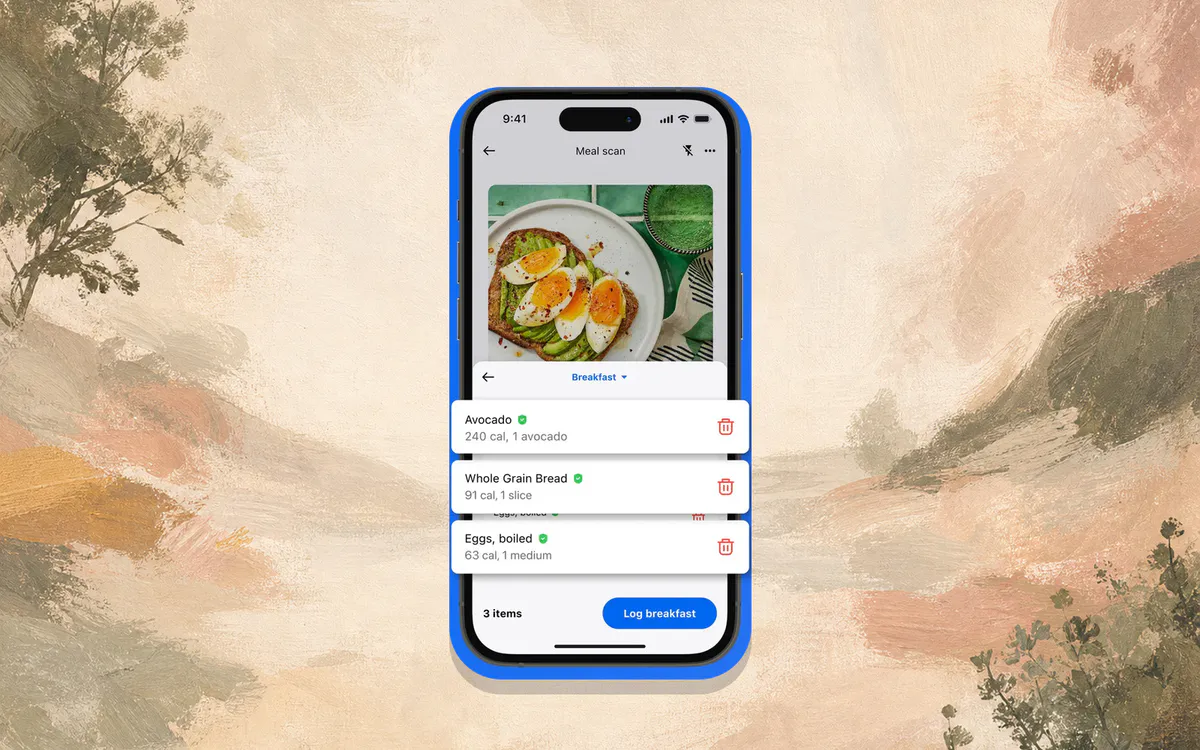
If you use barcode scanning, meal scanning, voice logging, custom macro targets, or ad-free logging every day, Premium may be worth it. If you mostly want a quiet food log, the product can feel like it has grown around a simpler need.
4. The App Has More Goals Than Some People Need
MyFitnessPal is no longer just a food diary. It is a full nutrition and fitness platform.
The current App Store listing mentions GLP-1 medication tracking, water tracking, workouts, intermittent fasting, meal planning, community, custom reminders, and an AI nutrition coach. MyFitnessPal’s new Today tab also puts calories, macros, meals, water, exercise, steps, and streaks into a more central dashboard.
That can be great if you want one place for everything.
It can feel heavy if your goal is much smaller:
- What did I eat today?
- How many calories was it?
- Did I get enough protein?
This is where a simpler tool can win even if it has fewer features. A light food log keeps the decision surface small. Open, log, close.
If that is the part you want, the Apple Notes calorie tracker method is a good manual test. It costs nothing and shows you whether a lower-friction habit feels better before you pay for another app.
5. Exercise Calories Can Muddy The Water
MyFitnessPal is especially strong if you want food and exercise in one place. The App Store listing says it connects with 40-plus trackers and health apps, and the product is built around adjusting your daily picture as workouts, steps, and food come in.
That is useful for experienced users.
For beginners, it can be confusing. If a tracker adds exercise calories back into your food budget, should you eat them? All of them? Some of them? What if your watch overestimated the workout?
There is no single answer, because the right approach depends on your goal, your activity, and how your body weight responds over several weeks. But if you are brand new, it is often easier to start with food logging first and treat exercise as context.
We cover the activity side separately in our guide to Apple Watch calorie tracking accuracy. The short version: wearable calories are useful for trends, but you should not let them make the food log harder than it needs to be.
What To Use Instead
The best MyFitnessPal alternative depends on what made you quit.
| If You Quit Because… | Try This |
|---|---|
| MyFitnessPal felt too slow | Amy Food Journal or Apple Notes |
| You want a familiar app with a free calorie diary | Lose It or FatSecret |
| You want detailed micronutrients | Cronometer |
| You want adaptive macros for training | MacroFactor |
| You want a manual, free food diary | Apple Notes |
| You want the biggest database and integrations | Stay with MyFitnessPal |
For a broader list, read our full MyFitnessPal alternatives guide. If you are choosing between the three most common paths, our Lose It vs MyFitnessPal vs Amy comparison is the better next page.
How Amy Fits
Amy is not trying to out-feature MyFitnessPal.
It is trying to solve a narrower problem: food logging should feel closer to writing a note than operating a nutrition database.
In Amy, you can type something as loose as “turkey sandwich, chips, pickle, diet coke” or “chicken bowl with rice, beans, corn, cheese, guac, salsa.”
Amy turns that text into a calorie and macro estimate, adds it to your day, and keeps the log attached to nutrition data. You can still use photos and barcodes when those are easier, but the default action is typing a meal in normal language.
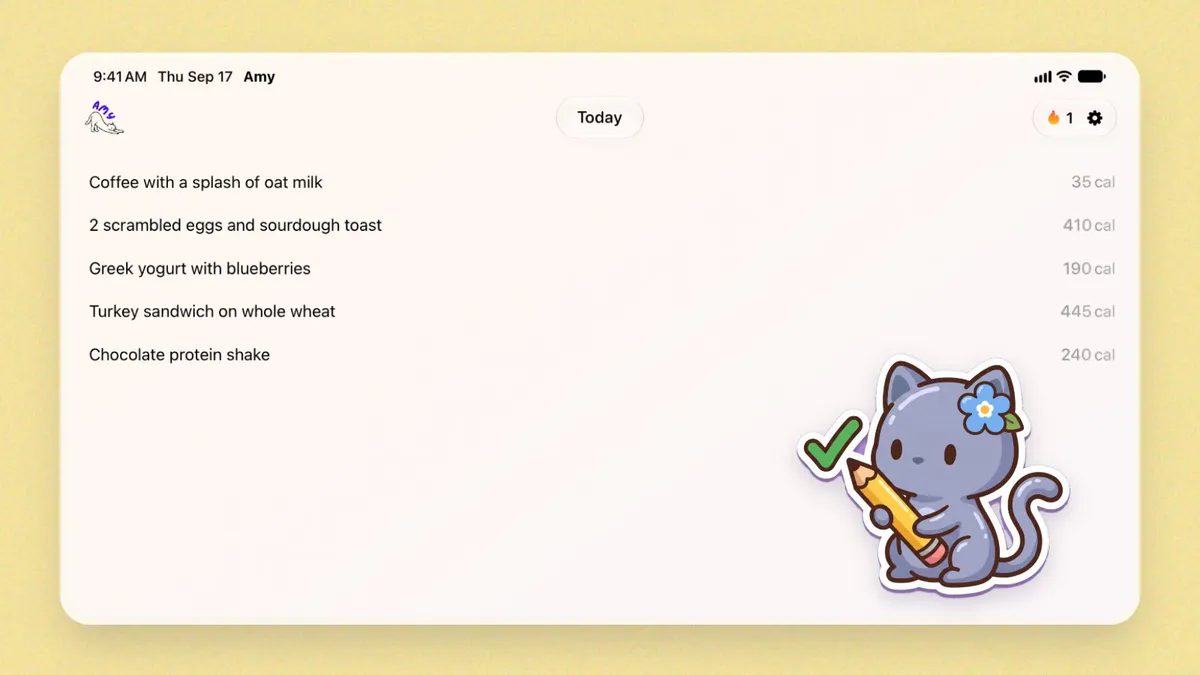
That makes Amy a better fit for people who have a tracking habit in their head but lose it when an app asks them to search, select, adjust, and confirm every ingredient.
It is not the right fit for everyone. MyFitnessPal is better if you need Android, web access, deep fitness integrations, community features, or the largest possible database. Amy is better if you have tried those big trackers and realized your biggest bottleneck is daily friction.
A Two-Day Test Before You Switch
Before you delete MyFitnessPal, run a simple test.
On day one, use MyFitnessPal normally. Do not optimize anything. Just notice where you hesitate. Was it breakfast? Restaurant lunch? Homemade dinner? A snack with no barcode? A premium prompt?
On day two, log the same way you would in a note. Use Apple Notes, a text message to yourself, or Amy. Write meals in plain language and see whether the habit feels lighter.

At the end, ask one question:
Which method would I still do when I am tired?
That answer matters more than the feature grid.
The Real Decision

MyFitnessPal is best for people who want a full nutrition platform and are willing to manage the logging workflow. It has the database, the integrations, the long history, and the feature depth.
People quit when that depth becomes the thing standing between them and a simple food log.
If you are one of those people, do not look for a “better MyFitnessPal.” Look for a better fit for the moment you actually log food. For some people, that is Lose It. For some, it is Cronometer. For some, it is a plain Apple Notes page.
For people who like the Notes style but want the math handled, it is Amy.
Frequently Asked Questions
Why do people quit MyFitnessPal?
People usually quit MyFitnessPal because daily logging starts to feel like too much work. The app is powerful, but database search, serving adjustments, premium prompts, dashboard complexity, and exercise-calorie decisions can make a simple food log feel heavier than expected.
Is MyFitnessPal still worth using in 2026?
Yes, if you need its strengths: a very large food database, Android and web access, broad fitness tracker integrations, community features, meal planning, and detailed nutrition tools. It is less ideal if your main problem is logging speed.
What is the easiest MyFitnessPal alternative?
If you want the easiest workflow, try Apple Notes for a free manual system or Amy Food Journal for notes-style logging with automatic calorie and macro estimates. If you want a traditional tracker, Lose It is the closest familiar alternative.
Is Apple Notes better than MyFitnessPal?
Apple Notes is better if you want a free, low-pressure food diary and do not mind estimating calories yourself. MyFitnessPal is better if you want a database, automatic totals, macros, barcode scanning, exercise sync, and a more complete nutrition system.
Does MyFitnessPal have AI food logging?
Yes. MyFitnessPal promotes AI-related nutrition tools and Meal Scan. Its help center says Meal Scan uses machine learning and computer vision, but it is a Premium-only feature on supported devices.
Is Amy better than MyFitnessPal?
Amy is better for people who want fast, plain-language food logging on iPhone. MyFitnessPal is better for people who need Android, web access, the largest food database, deep integrations, community, and a broader nutrition dashboard.
What should I do if I keep forgetting to log food?
Make logging smaller. Start by writing meals in one place without trying to be perfect. If that works but the calorie math gets annoying, use an app that keeps the simple input but calculates totals automatically.
Keep Reading
All articlesGuides
How to Describe a Meal When You Log Food by Voice
What to say when you log a meal by voice, how to check the words before the estimate, and when to use your iPhone or Apple Watch in Amy.
Guides
The Easiest Calorie Tracker App Is the One You Will Actually Use
The easiest calorie tracker app is not always the most powerful one. Learn how to choose a low-friction tracker by logging style, meal type, and habit fit.
Guides
Apple Notes Calorie Tracker: The Simple Way to Log Food
How to use Apple Notes as a calorie tracker, where the manual method breaks, and when a notes-style calorie app starts to make sense.
Reviews
Is MyFitnessPal Free in 2026? What Free Gets You vs Premium
Yes, MyFitnessPal is still free for logging, macros and recipes. Barcode scanning, Meal Scan and voice logging need Premium ($19.99/mo or $79.99/yr).