Best Calorie Tracker App in 2026: What Actually Matters
The best calorie tracker app depends on the logging habit you can keep. Compare Amy, MyFitnessPal, Cronometer, Lose It, MacroFactor, Cal AI, Foodnoms, and more.

Chris Raroque
Updated

The best calorie tracker app is not the one with the longest feature list.
It is the one you still open when the meal is boring, the restaurant order is messy, and you are tired enough to negotiate with yourself.
That sounds obvious, but most calorie app comparisons miss it. They rank database size, barcode scanners, macro charts, wearable sync, meal plans, photo logging, and AI features. Those things matter. They just matter after the first question:
How much work does this app ask for at the exact moment I need to log food?
If the answer is “too much,” the app loses even if it has perfect charts.
The Short Answer
Use Amy Food Journal if you want the lowest-friction iPhone calorie tracker: type what you ate in plain language, then let the app estimate calories and macros.
Use MyFitnessPal if you want the biggest database, Android/web access, integrations, and a full nutrition platform.
Use Cronometer if accuracy, micronutrients, and verified nutrition data matter more than speed.
Use Lose It if you want a familiar weight-loss tracker with a free calorie diary.
Use MacroFactor if you are serious about macro coaching and adaptive calorie targets.
Use Cal AI if you specifically want a photo-first calorie tracker.
Use Apple Notes if you want to test the habit for free before choosing an app.
Best Calorie Tracker Apps By Use Case
| Use Case | Best Pick | Why |
|---|---|---|
| Easiest daily logging | Amy Food Journal | Notes-style text input keeps the habit small |
| Biggest food database | MyFitnessPal | Huge database and broad platform support |
| Most nutrition detail | Cronometer | Strong micronutrients and verified data emphasis |
| Best macro coaching | MacroFactor | Adaptive targets based on weight and intake trends |
| Best familiar weight-loss app | Lose It | Clear budget, free calorie diary, broad adoption |
| Best photo-first app | Cal AI | Built around taking a food photo first |
| Best Apple-native tracker | Foodnoms | Clean iOS-first nutrition tracker |
| Best free manual test | Apple Notes | Zero cost, zero app friction, no automatic math |
This is why “best” is a trap. A competitive lifter and someone who quits logging after three days do not need the same app.
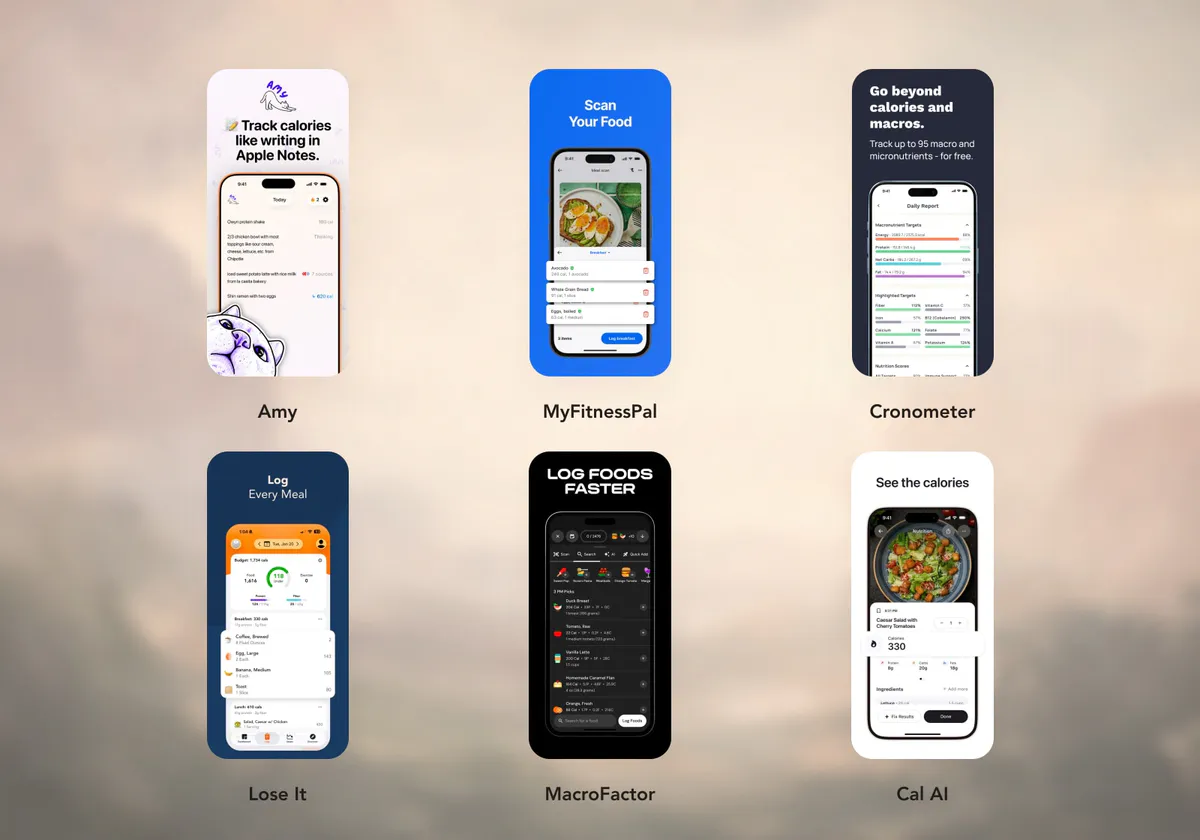
What Actually Matters In A Calorie Tracker
Most people should judge calorie apps on five things.

1. Input Friction
This is the biggest one.
Can you log a normal meal without turning it into a small admin task? A protein bar is easy in almost every app. A homemade bowl, a restaurant order, or leftovers from a fridge container is the real test.
Traditional trackers ask you to search, select, adjust, and confirm. Photo-first apps ask you to take a clear picture and verify what the AI saw. Notes-style apps let you type the meal the way you would describe it to a person.
If you have quit calorie tracking before, start here. You probably do not need more features. You need less resistance.
2. Data Confidence
Some people want rough awareness. Some people need tighter numbers.
Cronometer is strong for people who care about verified foods and micronutrients. MacroFactor is strong for people who care about trend-based macro targets. MyFitnessPal is strong when you need to find almost any packaged or restaurant food.
Amy and Cal AI are better when the input method matters more than perfect database selection.
3. Free vs Paid Reality
App Store pages can say “free” while the daily experience depends on a subscription. That is not automatically bad. Paid apps can be worth it if they remove the exact friction that made you quit.
The honest question is not “is this app free?” It is “does the free tier support the way I actually want to track?”
For a deeper breakdown, read free calorie tracking apps with no subscription.
4. Platform Fit
Amy is iPhone-first. MyFitnessPal, Cronometer, Lose It, and MacroFactor support broader platform needs. If you want web logging, Android, or a long list of integrations, that can decide the answer before features do.
5. How The App Feels After Two Weeks
The first day tells you whether the app is impressive. The second week tells you whether it is livable.
The best calorie tracker should make food logging feel smaller over time, not heavier.
App-By-App Recommendations
Amy Food Journal - Best For Notes-Style Calorie Tracking
Amy is best for people who like the idea of a calorie tracker like Apple Notes, but do not want to add up calories manually.
You type:
chicken bowl with rice, black beans, corn, cheese, guac, salsa
and Amy turns the sentence into a calorie and macro estimate. You can still use photos and barcodes when they are easier, but the default action is writing food in normal language.
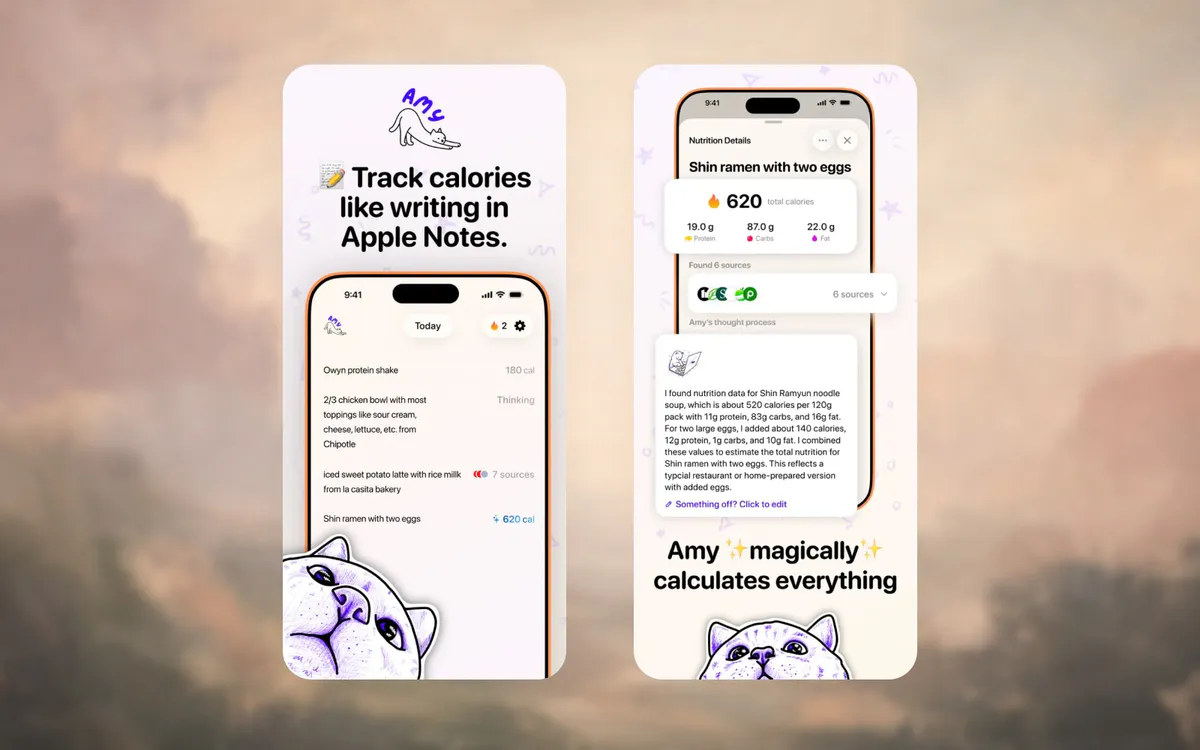
Amy is not the best choice if you need Android, desktop web logging, community features, or detailed micronutrients. It is the better choice if your main problem is that traditional trackers feel too slow.
MyFitnessPal - Best Full Nutrition Platform
MyFitnessPal is still the heavyweight option. Its App Store listing shows a 4.7 rating from more than 2 million ratings, and it remains the familiar default for database-first calorie tracking.
The upside: scale, integrations, a broad database, web/Android access, exercise tracking, and a mature product.
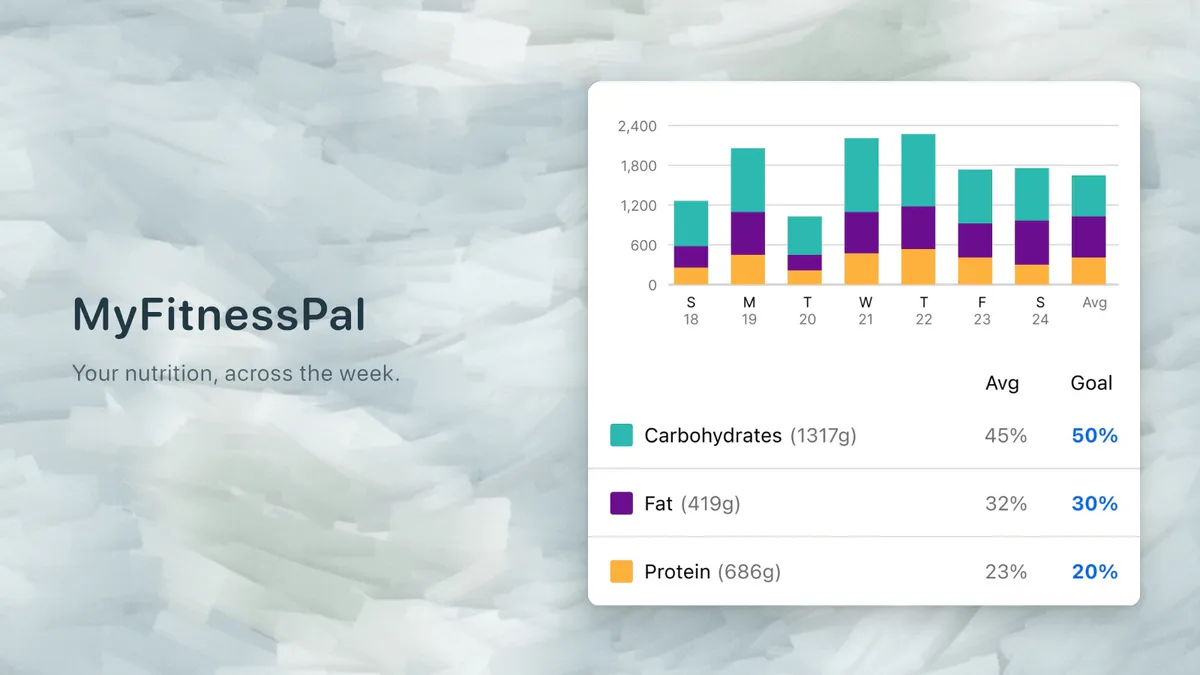
The downside: that same scale can make a simple food log feel busier than some people want. We wrote a whole guide on why people quit MyFitnessPal because the pattern is common: people do not leave because the app is weak. They leave because daily logging feels heavy.
Choose MyFitnessPal if you want one large nutrition platform. Choose something lighter if the platform is exactly what gets in your way.
Cronometer - Best For Accuracy And Micronutrients
Cronometer is the app to pick when nutrition detail matters. Its App Store listing positions it around calories, macros, fasting, and up to 95 nutrients and other compounds, and the product is clearly built for people who want more than a daily calorie number.
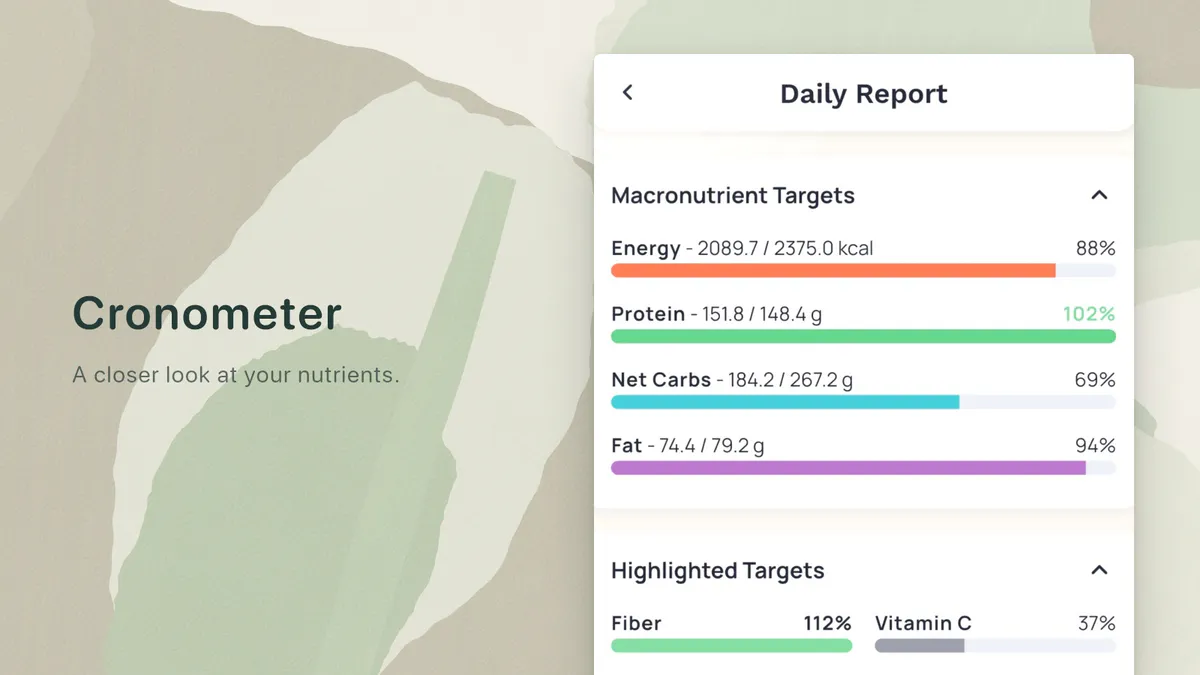
That makes Cronometer excellent for people tracking vitamins, minerals, specific dietary protocols, or medical nutrition questions with professional guidance.
Cronometer Gold also includes photo and voice logging. The choice is whether its detailed reports help you; a richer interface alone does not prove logging is slower.
For a wider free-app comparison, see free calorie tracking apps.
Lose It - Best Familiar Weight-Loss Tracker
Lose It is a practical middle ground. It has a friendly weight-loss orientation, food database logging, and Apple Health support for all iOS users. Its current US App Store listing puts the barcode scanner, photo meal logging, AI voice logging, advanced tracking including macros, and fitness-app syncs such as Google Fit in Premium.
Its App Store listing currently shows a 4.8 rating from more than 760,000 ratings, which says something about mainstream appeal.
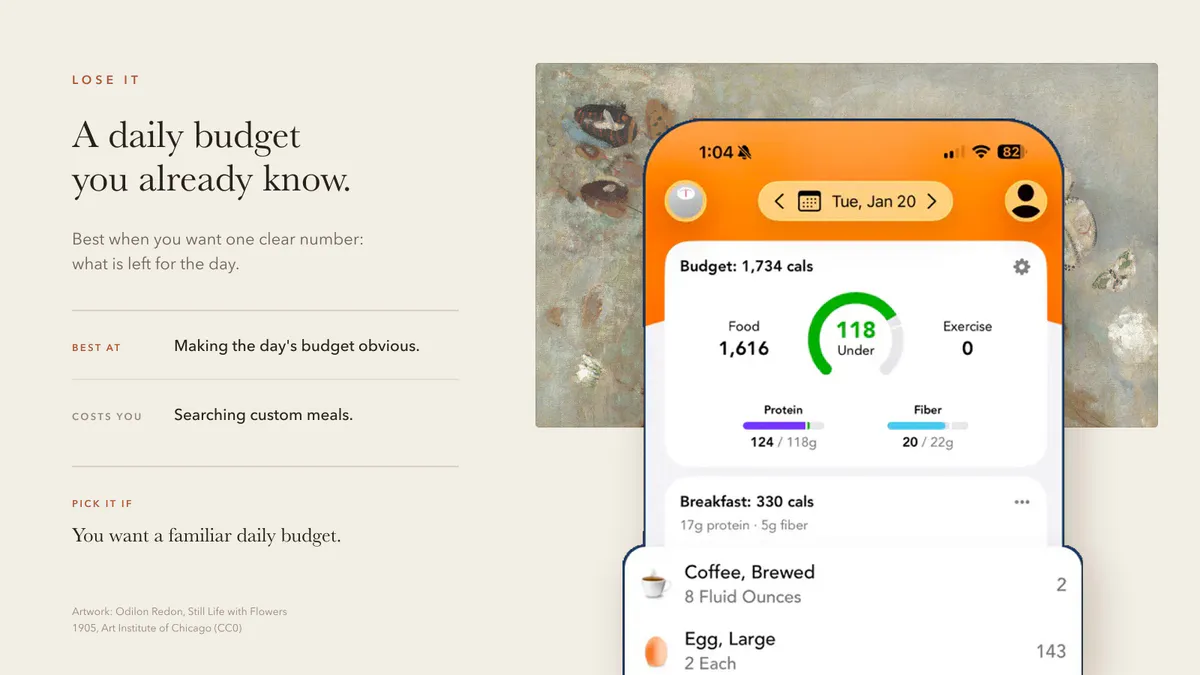
Choose Lose It if you want a conventional tracker that feels more approachable than MyFitnessPal. Skip it if you already know database search is the part you hate.
MacroFactor - Best For Serious Macro Coaching
MacroFactor puts adaptive calorie and macro targets at the center of the product.
Its App Store listing lists monthly, half-year, and annual pricing, with no permanent free tier. The reason people pay is the adaptive coaching: MacroFactor uses your logged intake and weight trend to update calorie and macro targets over time.
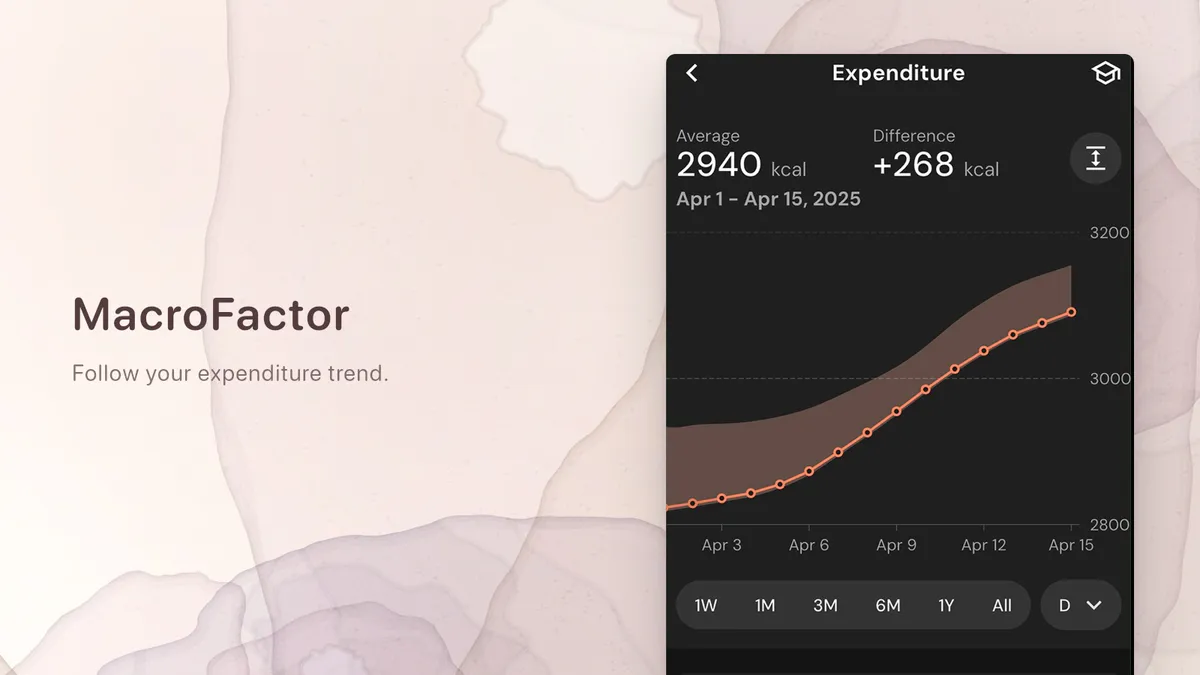
Choose MacroFactor if you lift, cut, bulk, track consistently, and want feedback on your actual expenditure. If you just want fast calorie logging, it is probably too much app.
Read the full MacroFactor review for the deeper comparison.
Cal AI - Best Photo-First Calorie Tracker
Cal AI is the best-known photo-first calorie tracker right now. Its App Store page describes a workflow where you set a goal, take a photo of your meal, and get a nutritional breakdown. Its website also offers barcode scanning and describing a meal in words. Its FAQ calls the app “about 80% accurate”; that is the company’s own figure, not an independent validation.
That is compelling if your meals are visually clear and you like the camera-first habit.
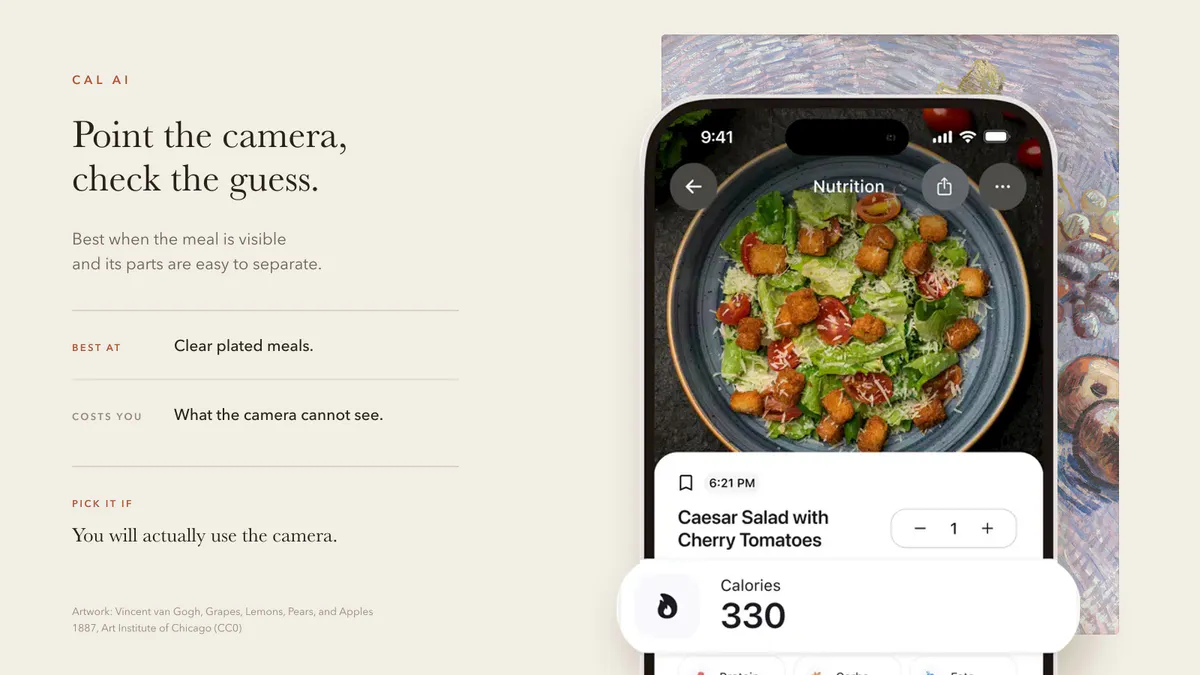
It is less ideal if your meals are leftovers, mixed bowls, snacks in wrappers, restaurant customizations, or anything where the important detail is not visible. For those cases, text can be faster than a photo.
For more AI-specific options, read best AI calorie counter apps or the new Cal AI alternatives guide.
Foodnoms - Best Apple-Native Tracker
Foodnoms is worth a look if you want a polished iOS nutrition tracker and do not want the bloat of older platforms. Its official site frames it as a simple food and nutrition tracker with meal logging, nutrition tracking, label scanning, AI food logging, and Apple Health-friendly workflows.
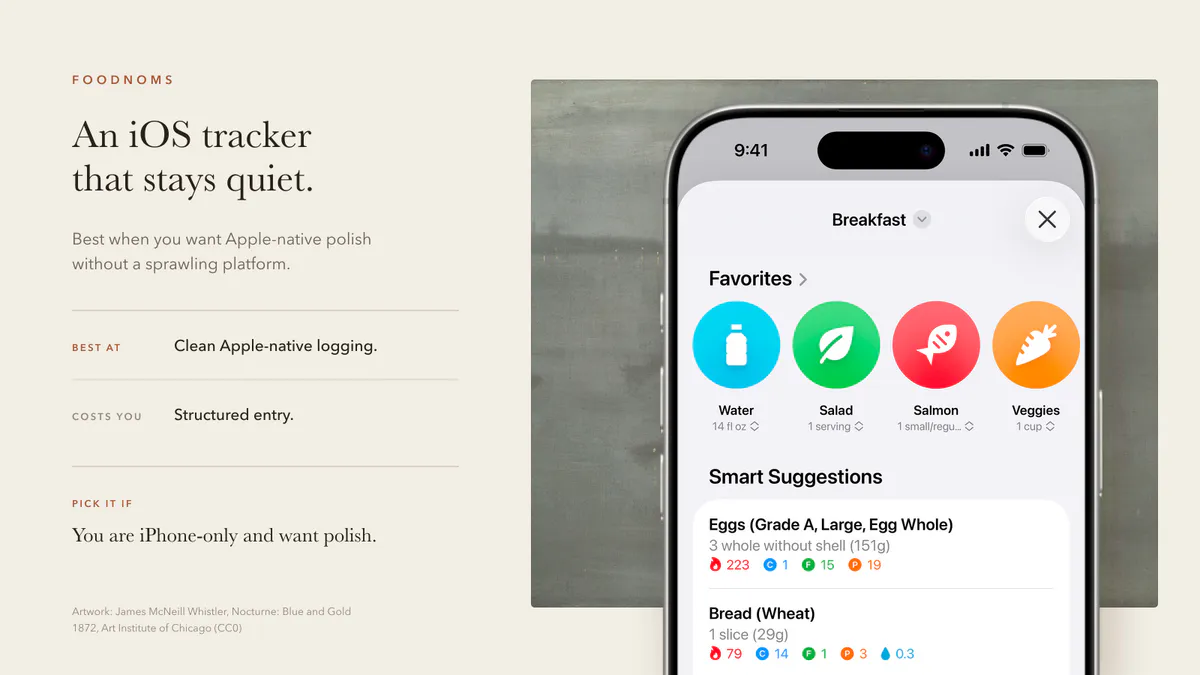
Foodnoms sits between the old database apps and the newer AI-first apps: more structured than Amy, more Apple-native than MyFitnessPal, and less coaching-heavy than MacroFactor.
MyNetDiary - Best Traditional Diet Assistant
MyNetDiary is a strong conventional calorie counter with a clear weight-loss orientation. Its official site emphasizes a free calorie counter, barcode scanner, staff-verified database, macro tracking, water tracking, exercise tracking, and optional Premium features.
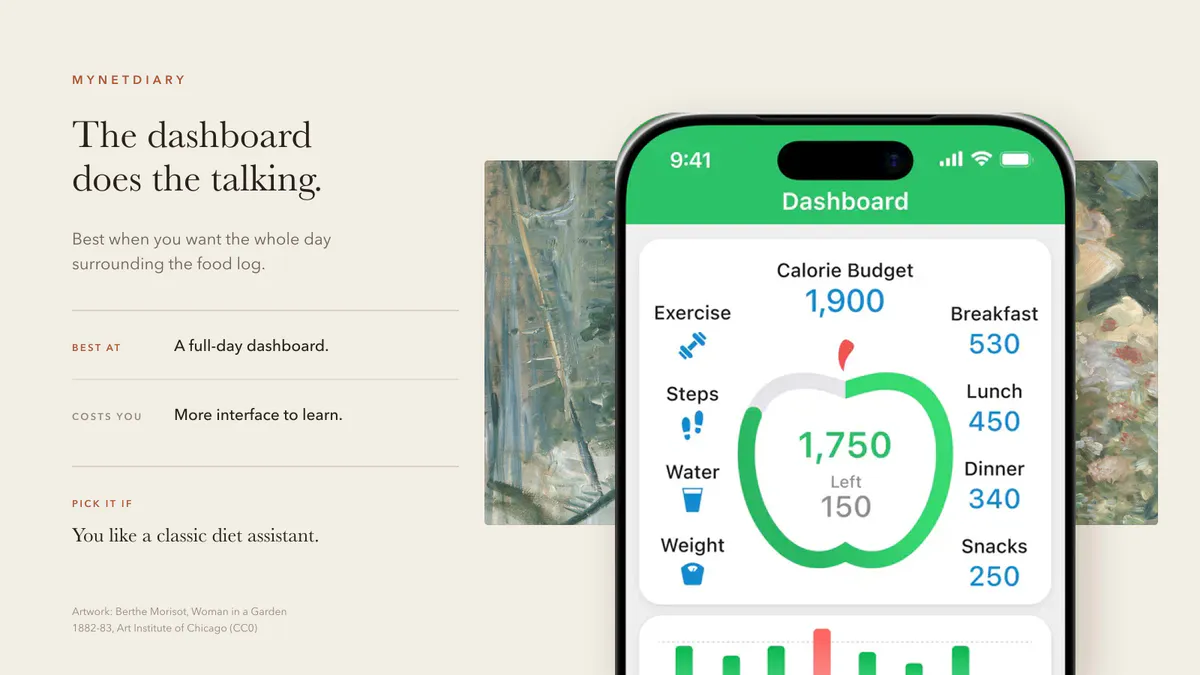
It is a good fit if you want a traditional diet assistant and do not mind a more classic tracker interface.
Apple Notes - Best Free Habit Test
Before paying for any app, try Apple Notes for two days.
Write down what you ate. Do not overbuild it. Do not make a spreadsheet. Just log the meal in plain language.
If the writing habit feels easy but the math gets annoying, you have learned something useful: you do not need a bigger tracker. You need a notes-style tracker with automatic calorie math.
That is the exact gap Amy is trying to fill.
How To Choose

If you are still unsure, use this decision tree:
| If This Sounds Like You | Pick |
|---|---|
| ”I quit because logging takes too long.” | Amy |
| ”I need the biggest database and desktop access.” | MyFitnessPal |
| ”I care about micronutrients and verified data.” | Cronometer |
| ”I want a familiar weight-loss app.” | Lose It |
| ”I lift and want adaptive macro targets.” | MacroFactor |
| ”I want behavioral lessons and coaching.” | Noom; read the full Noom review first |
| ”I want to take photos of meals.” | Cal AI |
| ”I want to test the habit for free.” | Apple Notes |
There is no moral victory in using the most advanced tracker. The win is using the tracker that gets opened.
FAQ
What is the best calorie tracker app overall?
For most people who struggle with consistency, Amy is the best fit because the logging workflow is shortest: type the meal in normal language and get calorie and macro estimates. If you need the largest database and cross-platform support, MyFitnessPal is the safer overall pick.
What is the easiest calorie tracker app?
The easiest calorie tracker is the one with the fewest decisions at logging time. For iPhone users, Amy is the easiest dedicated calorie tracker because it works like a notes app. Apple Notes is the easiest free manual option, but it does not calculate calories. Our Apple Notes calorie tracker guide shows how to test that habit before choosing a dedicated app.
What is the best free calorie tracker app?
FatSecret, Cronometer, and Lose It are usually the first free or freemium apps to compare. The right answer depends on whether you want community, micronutrients, or a simple calorie budget. See free calorie tracking apps with no subscription for the full breakdown.
Is MyFitnessPal still worth it?
Yes, if you want a full nutrition platform with a large database, integrations, Android, web, exercise, and community features. It is less ideal if your main problem is logging friction.
Is AI calorie tracking accurate enough?
Usually, AI calorie tracking is good enough for rough awareness, but not perfect enough for highly precise nutrition targets. It works best when the meal is visually clear and portions are obvious. When the important details are hidden, text or manual logging can be more reliable. For Amy specifically, see how we test and explain calorie-estimate accuracy.
Should I track calories or macros?
If you are starting, track calories first and protein second. Full macro tracking is useful, but it can make the habit heavier before you need it. Read how to track macros when calories alone stop being enough.
What should I use if I keep quitting calorie apps?
Use Apple Notes for two days, then try Amy. If writing meals in plain language feels easier than database search, your issue is probably workflow friction, not motivation.
Keep Reading
All articlesGuides
Apple Notes Calorie Tracker: The Simple Way to Log Food
How to use Apple Notes as a calorie tracker, where the manual method breaks, and when a notes-style calorie app starts to make sense.
Reviews
Best Free Calorie Counter Apps for iPhone
Compare the best free calorie counter apps for iPhone by logging style, free-tier limits, Apple fit, and when a paid text-first tracker is worth it.
Reviews
Best Free Calorie Tracking Apps Without a Subscription
Compare permanent free calorie-tracker tiers by documented barcode scanning, macros, recipes, ads, and paid limits.
Reviews
10 Best Food Journal Apps in 2026 (Free and Paid)
10 food journal apps compared on how you log, what is free vs paid, and who each one suits, using current App Store listings and help centers.