Best Free Calorie Counter Apps for iPhone
Compare the best free calorie counter apps for iPhone by logging style, free-tier limits, Apple fit, and when a paid text-first tracker is worth it.

Chris Raroque
Updated

The best free calorie counter app for iPhone depends on what you mean by free.
Free to download is easy.
Free enough to use every day is harder.
Some apps give you a generous free tracker and charge for advanced reports. Some make the core habit feel free but put convenience features behind a subscription. Some are technically free but feel crowded. And some, like Amy, are not permanently free but may be worth trying if the paid workflow solves the exact reason you quit other trackers.
So this guide is not a list of App Store names. It is a practical way to choose the iPhone tracker you will actually keep using.
The Short Answer
Use Cronometer if you want the strongest free nutrition-detail option on iPhone.
Use FatSecret if you want a free calorie counter with barcode scanning, community, and a more traditional tracker feel.
Use Lose It if you want a familiar calorie-budget app and are comfortable with a freemium model: its current US listing puts barcode scanning, photo logging and macro tracking in Premium.
Use MyFitnessPal if you want the biggest ecosystem and do not mind more upsells or complexity.
Try Amy Food Journal if you want the lowest-friction iPhone workflow and are open to paying after its three-day free trial. Amy is not the best permanent free app. It is the better fit when free apps lose you because logging feels too slow.
For the broad free-app breakdown, read free calorie tracking apps with no subscription.
Free iPhone Apps At A Glance
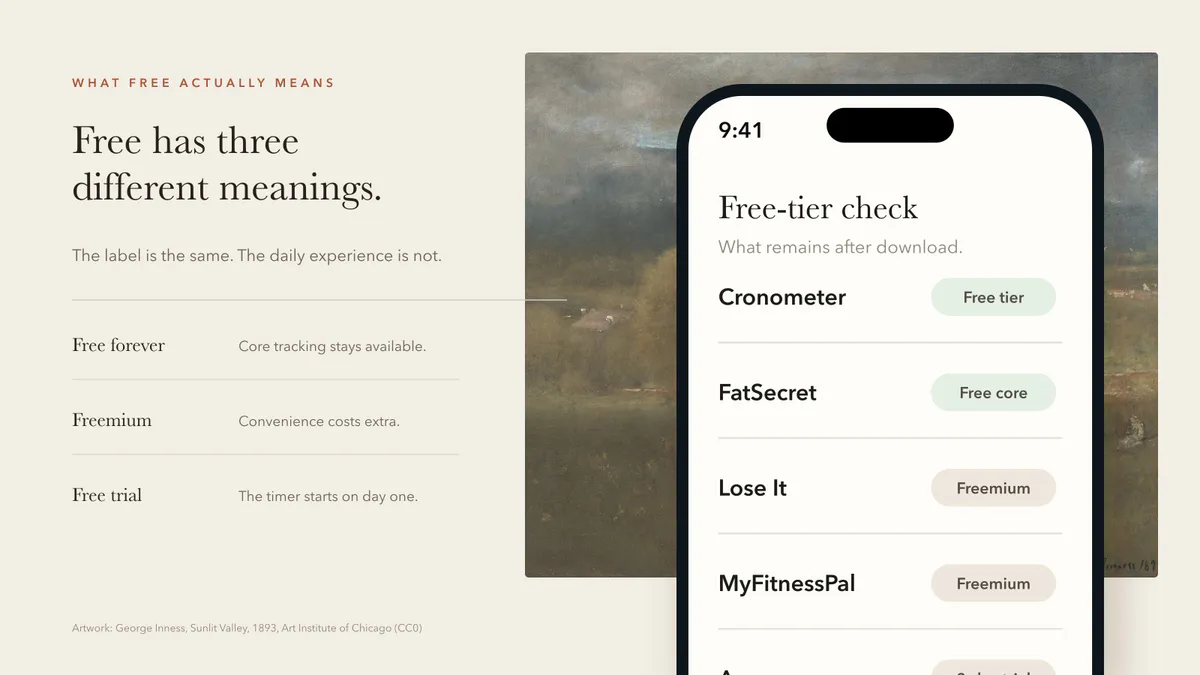
| App | Best For | Free Reality |
|---|---|---|
| Cronometer | Nutrition detail and micronutrients | Strong free tier, paid Gold for advanced tools |
| FatSecret | Traditional free calorie tracking | Core food, calorie, and macro tools are free |
| Lose It | Friendly calorie budget | Free calorie diary; barcode, photo, AI voice and macros in Premium |
| MyFitnessPal | Largest platform | Basic diary is free; barcode and meal scanning are Premium |
| Amy Food Journal | Lowest-friction iPhone logging | Three-day trial, then $9.99/month or $99.99/year |
| Apple Notes | Manual food journaling | Free, but no calorie math |
1. Cronometer: Best Free Nutrition Detail
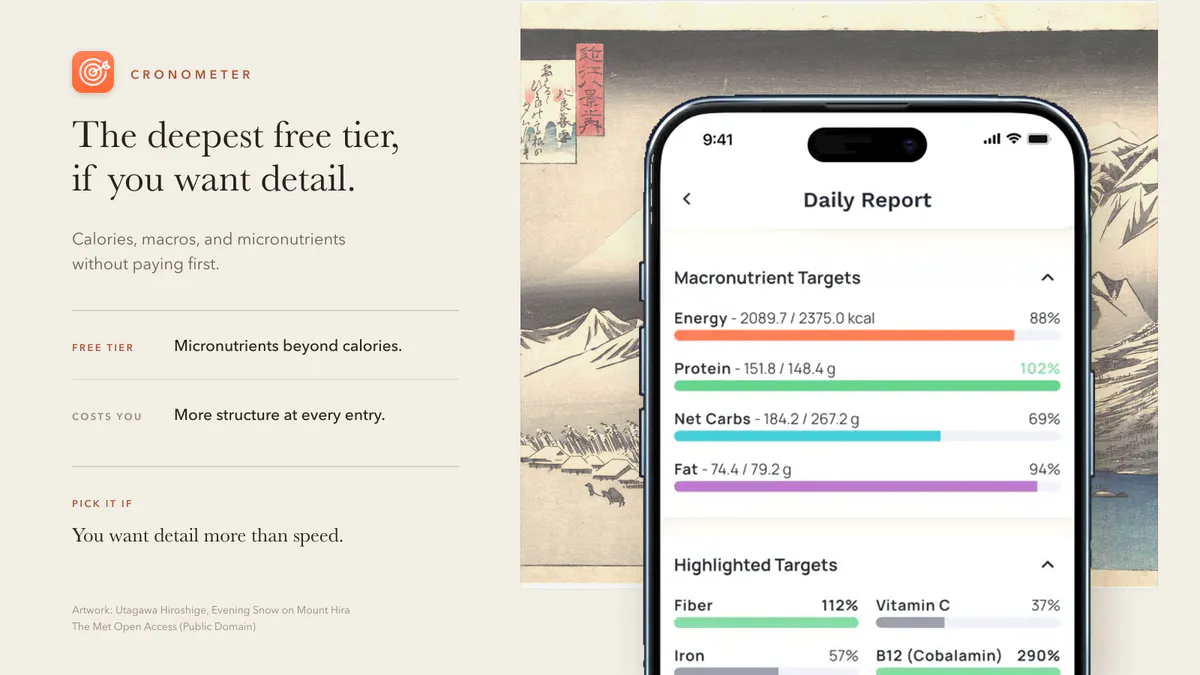
Cronometer’s App Store page positions it around calorie tracking, macros, fasting, and 95-plus vitamins and minerals.
That makes Cronometer the strongest free-ish iPhone choice if you care about nutrition depth.
Choose Cronometer if:
- You want more than calories and macros.
- You care about vitamins, minerals, fiber, sodium, or micronutrients.
- You are willing to log with more structure.
Watch out if:
- You want the fastest possible meal log.
- You get overwhelmed by detailed dashboards.
- You mostly eat mixed meals and restaurant orders.
Cronometer is not the lightest tracker. It is the most useful free option for people who want detail.
2. FatSecret: Best Traditional Free Counter
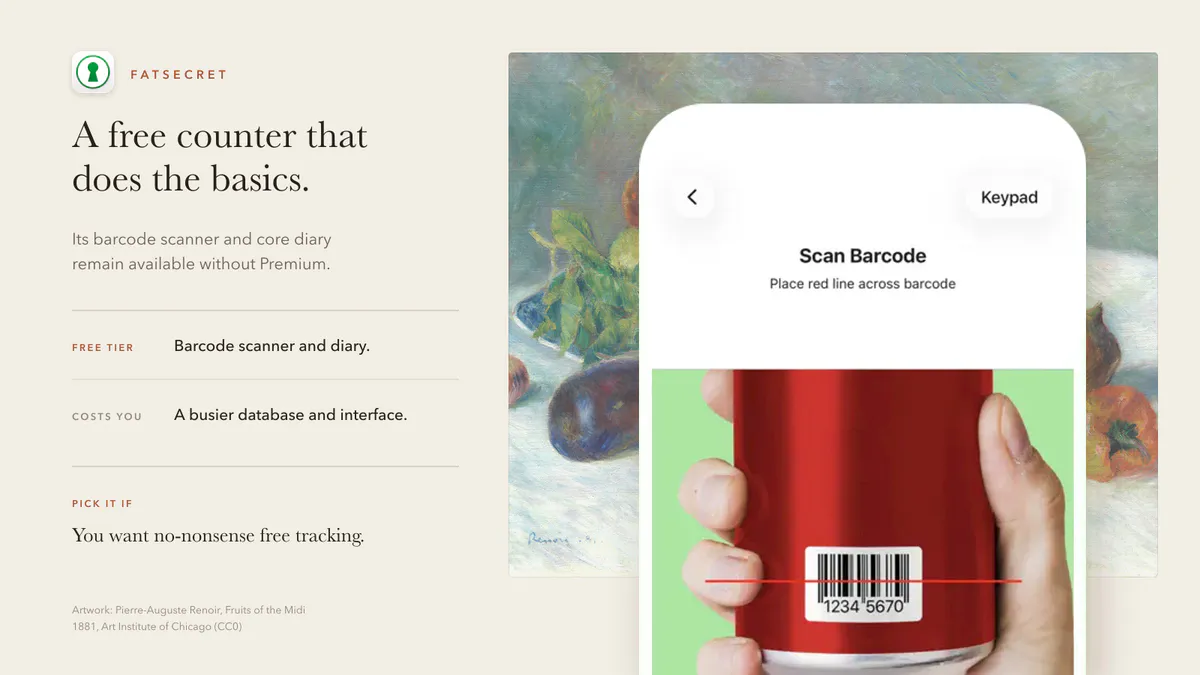
FatSecret’s App Store listing highlights barcode scanning, food image recognition, a diet calendar, weight tracking, reports, and goals. Its official site also emphasizes free calorie and macro tracking.
Choose FatSecret if:
- You want a no-nonsense calorie counter.
- You like barcode scanning and traditional food logs.
- You want community features without starting with a paid app.
Watch out if:
- You want the most modern iPhone design.
- You want a notes-style workflow.
- You are sensitive to database quality and duplicate entries.
FatSecret is not the prettiest option, but it deserves a real look because the free core is practical.
3. Lose It: Best Familiar Calorie Budget
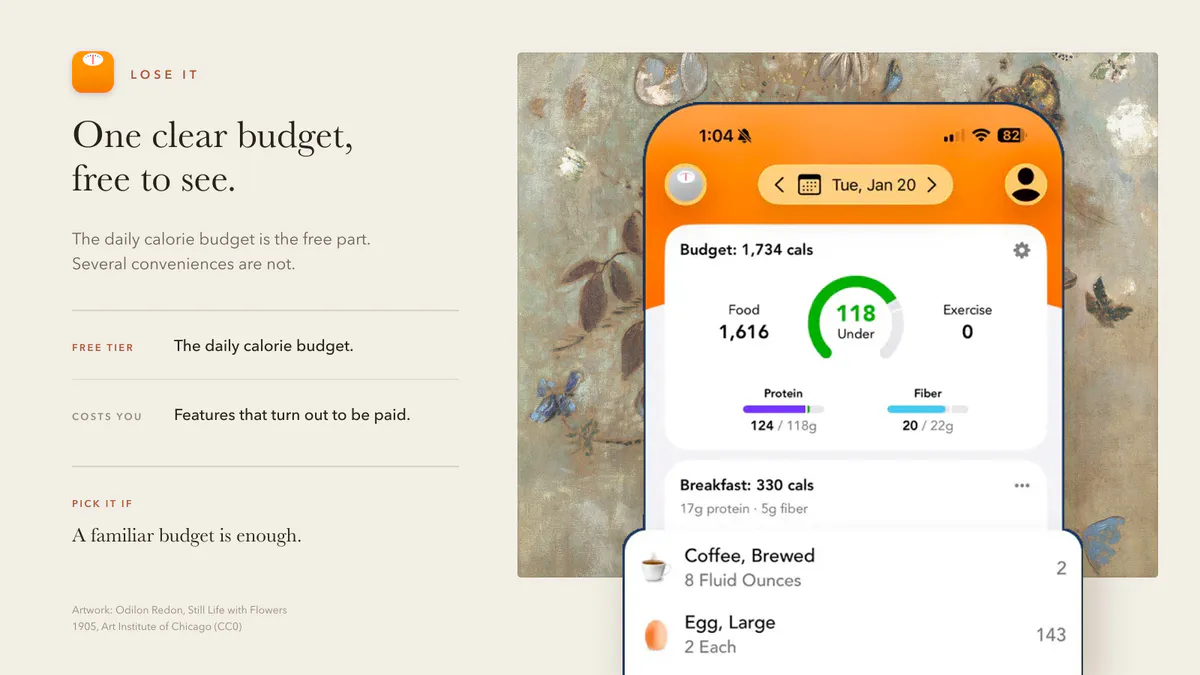
Lose It is one of the most familiar calorie counter apps on iPhone. It is built around a clear budget, meals, food logging, and weight-loss progress. Its US App Store listing keeps calorie tracking, the weight-loss plan and community support free, and puts Photo Meal Logging, AI Voice, the Barcode Scanner and advanced tracking, including macros, under Premium.
Choose Lose It if:
- You want a simple daily calorie budget.
- You like a conventional food diary.
- You want something friendlier than a hardcore nutrition dashboard.
Watch out if:
- The feature you want is paid.
- You already know database search makes you quit.
- You want an Apple Notes-style tracker.
Lose It is a good middle ground: familiar, approachable, and less intense than some nutrition-detail apps.
4. MyFitnessPal: Best Big Platform
MyFitnessPal is still the default name many people know. It has a large food database, broad platform support, integrations, and a long history in calorie tracking. Its basic diary remains free, but MyFitnessPal lists barcode scanning as a Premium feature, alongside tools such as Meal Scan.
That is the appeal.
It is also the tradeoff.
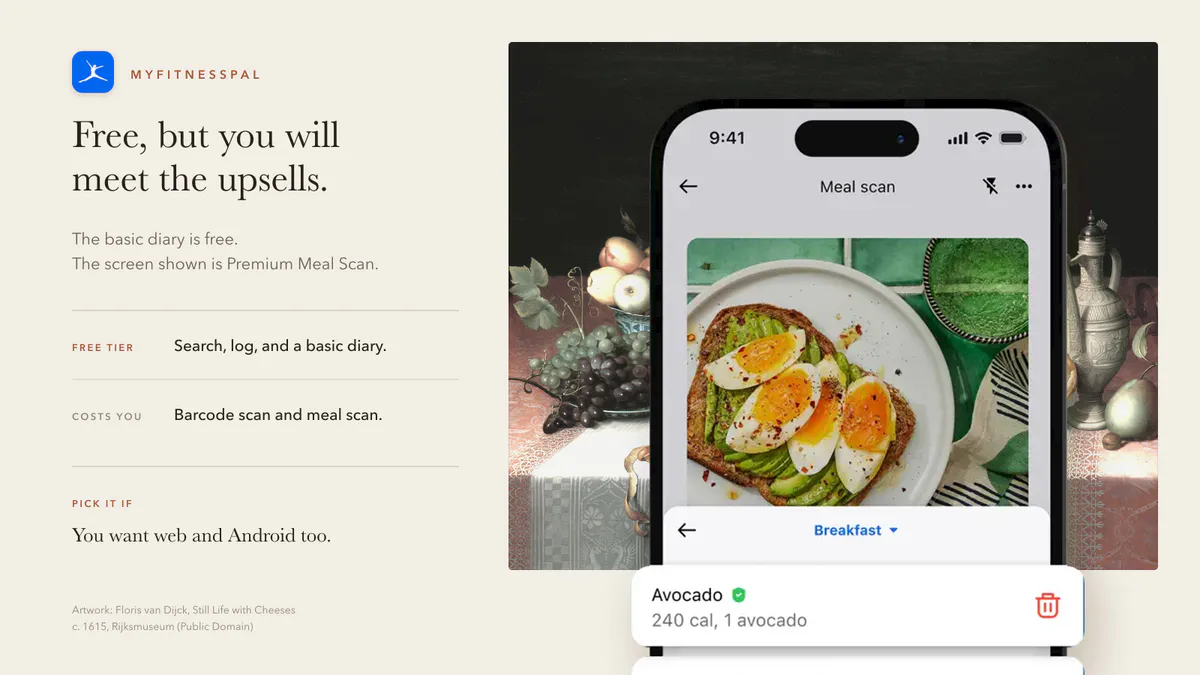
Choose MyFitnessPal if:
- You want the biggest ecosystem.
- You need web or Android support too.
- You like database search and a full nutrition platform.
Watch out if:
- You want calm, fast logging.
- You dislike upsells.
- You have already quit MyFitnessPal once.
If that last point sounds familiar, read why people quit MyFitnessPal.
5. Amy Food Journal: Best If Free Apps Feel Too Slow
Amy is not the winner if the requirement is “free forever.”
Its App Store page describes a different promise: type what you ate like you would in Apple Notes, then let the app log and total the calories. New users get a three-day free trial. In the US App Store, Amy is then $9.99 per month or $99.99 per year.
That is worth saying plainly.
The reason to try Amy is not price. It is friction.
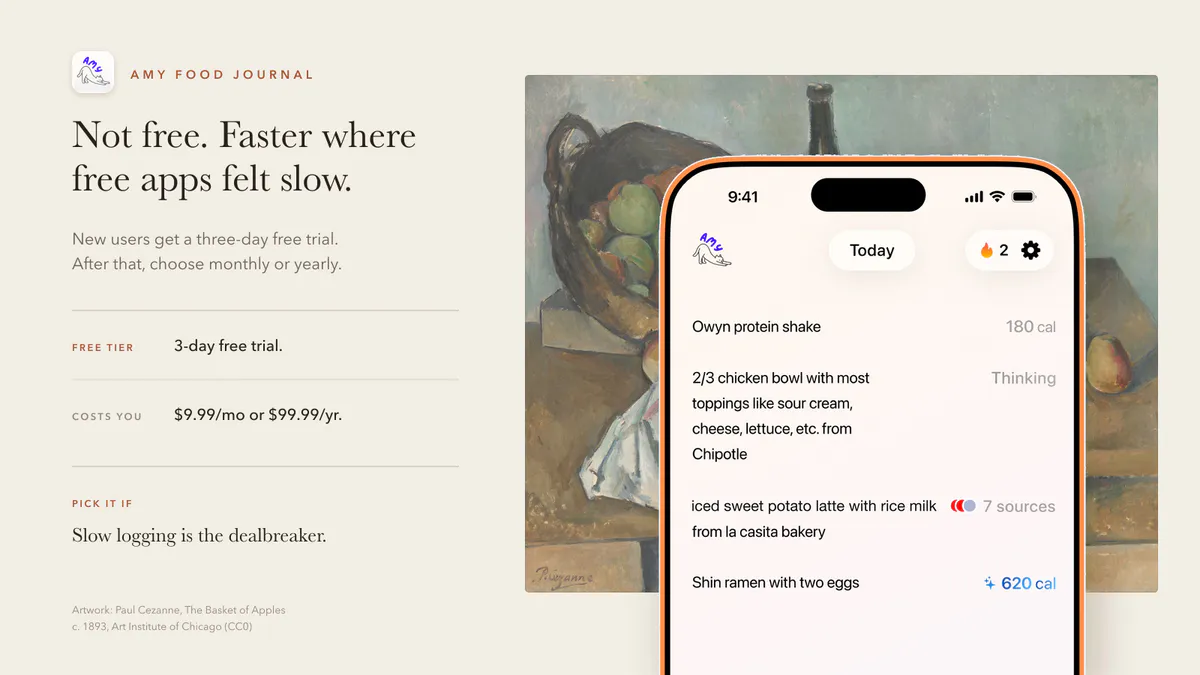
Choose Amy if:
- You want the fastest iPhone logging workflow.
- You prefer typing meals to searching a database.
- You eat custom orders, leftovers, bowls, snacks, and coffee drinks.
- You want a tracker that feels closer to Notes than a nutrition platform.
Skip Amy if:
- You need a permanent free app.
- You need Android or web.
- You want detailed micronutrients.
For the habit-first explanation, read the best calorie tracker app guide.
6. Apple Notes: Best Free Habit Test
Apple Notes is not a calorie counter.
But it is the best free way to test the logging habit.
For two days, write down meals in plain language. If that feels easy but the math is annoying, you now know what kind of app you need: not necessarily more features, just automatic calorie math on top of a writing habit.
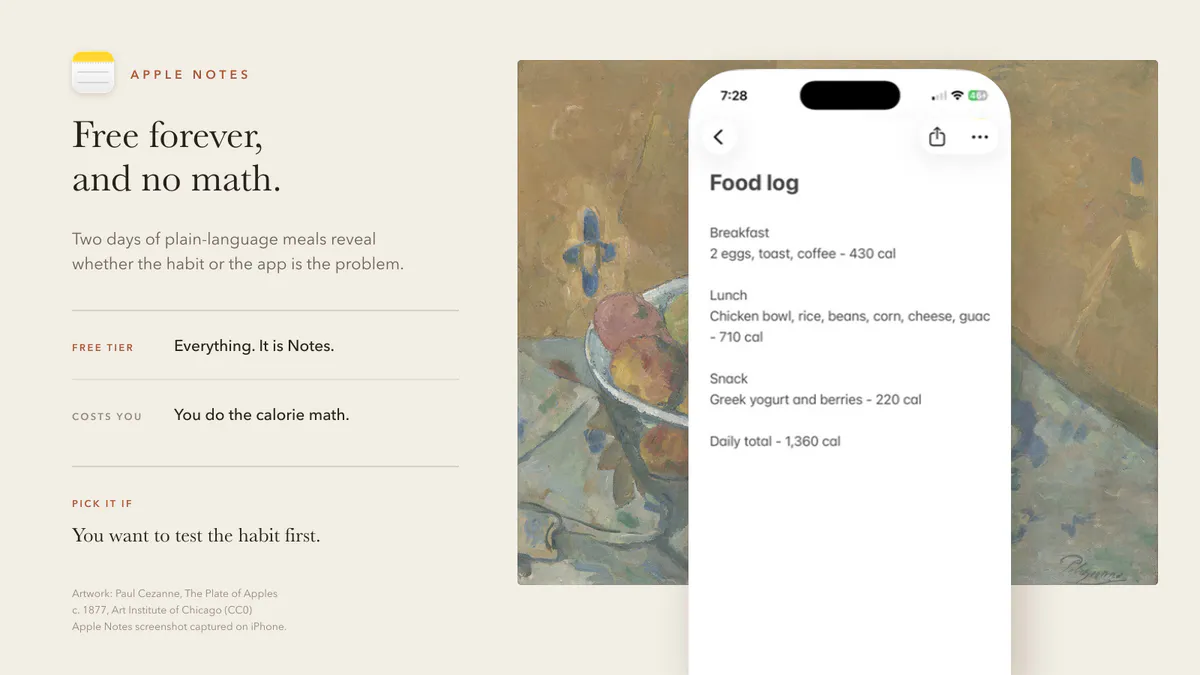
That is exactly why the Apple Notes calorie tracker guide exists.
How To Choose

Ask these questions:
| If You Want | Start With |
|---|---|
| Permanent free tracking | FatSecret or Cronometer |
| Nutrition depth | Cronometer |
| Familiar calorie budget | Lose It |
| Biggest platform | MyFitnessPal |
| Lowest-friction iPhone logging | Amy |
| Free manual habit test | Apple Notes |
The worst choice is the app you download because it is free, then avoid because every meal feels annoying to enter.
Free only helps if the habit survives.
FAQ
What is the best free calorie counter app for iPhone?
Cronometer is the best free option for nutrition detail. FatSecret is a strong free traditional calorie counter. Lose It is a good freemium calorie-budget app. The best choice depends on the logging workflow you prefer.
Is Amy Food Journal free?
Amy offers new users a three-day free trial. In the US App Store, it is then $9.99 per month or $99.99 per year. It is not the best permanent free app. It is worth trying if you want a lower-friction iPhone tracker that lets you type meals like notes.
What is the easiest free calorie counter for iPhone?
If you mean free manual tracking, Apple Notes is easiest. If you need automatic calorie math, compare FatSecret, Cronometer, and Lose It first. If those feel too slow, try Amy and decide whether the faster workflow is worth paying for.
Are free calorie counter apps accurate?
Free apps can be accurate enough for general awareness, but database quality, serving size, and user consistency matter. For packaged foods, barcode scans are usually strongest. For homemade or restaurant meals, the estimate depends on the details you enter.
Keep Reading
All articlesReviews
Best Calorie Tracker App in 2026: What Actually Matters
The best calorie tracker app depends on the logging habit you can keep. Compare Amy, MyFitnessPal, Cronometer, Lose It, MacroFactor, Cal AI, Foodnoms, and more.
Guides
How to Describe a Meal When You Log Food by Voice
What to say when you log a meal by voice, how to check the words before the estimate, and when to use your iPhone or Apple Watch in Amy.
Comparisons
Text vs Photo Calorie Tracking: Which One Works Better?
Text vs photo calorie tracking compared by meal type, accuracy, friction, and real-life use. Learn when to type, scan, photograph, or use a recipe calculator.
Guides
The Easiest Calorie Tracker App Is the One You Will Actually Use
The easiest calorie tracker app is not always the most powerful one. Learn how to choose a low-friction tracker by logging style, meal type, and habit fit.