
Log with your camera or voice
Snap your plate, scan a barcode or menu, or say what you ate.
Log from a picture
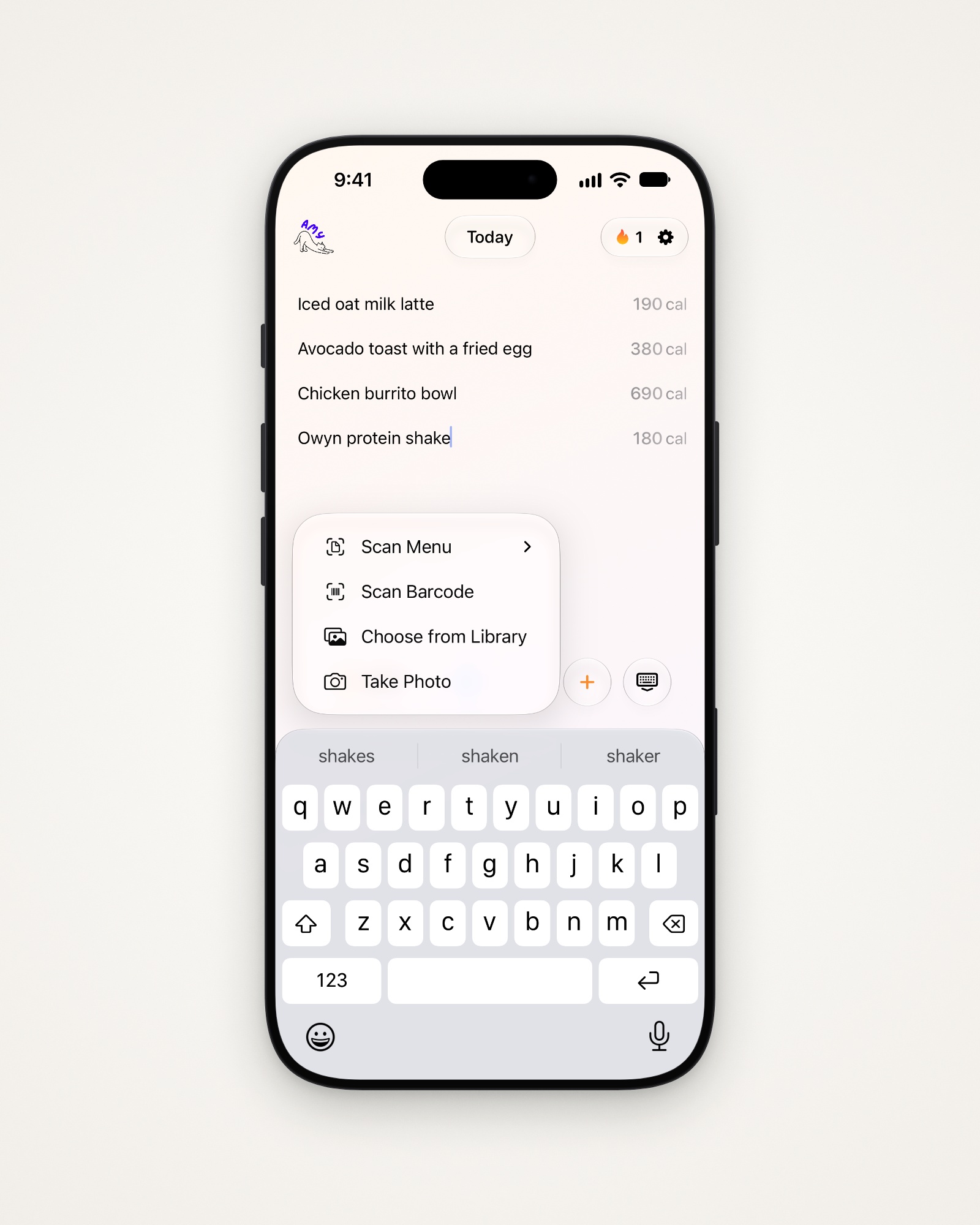
- Tap your note, then the camera button above the keyboard.
- Choose Take Photo, Choose from Library, Scan Barcode or Scan Menu.
A photo of your meal
- Take or choose a photo. Amy suggests a Food Name and Description.
- Fill in Restaurant if you know it, to help accuracy.
- Tap Something not look right? to say what’s wrong, then Update Description.
- Tap Calculate Calories to add it to your note.
Scan a barcode
- Point the camera at the barcode and hold steady.
- Pick the serving you ate, or enter a Custom Amount.
- Set the Number of Servings and tap Add.
- Tap Take a Photo of the Package if the barcode isn’t found.
Scan a menu
- Take or choose a photo of the menu.
- Tick the dishes you had, up to 50, and tap Add.
Say what you ate
- Tap the microphone above the keyboard. Allow access the first time.
- Say what you ate, the way you’d tell a friend.
- Tap the green checkmark. Amy writes it into your note.
Tip: Amy works out which language you’re speaking; to pick one, open Settings → Dictation Language.
Other ways to log
- Share a photo to Amy from another app, then tap Add to Amy.
- Ask Siri to “Log food in Amy”.
- Say a saved meal by name: “Log my Owyn protein shake in Amy”.
Last updated