
Log food the Apple Notes way
Type one food per line, and Amy works out its calories and macros.
Log what you ate
- Open Amy and tap today’s note.
- Type a food, like “Avocado toast with a fried egg”.
- Press return and type the next one. Each line is one food.
- Watch the calories appear on the right.
- Tap the bar at the bottom to see your day against your goals.
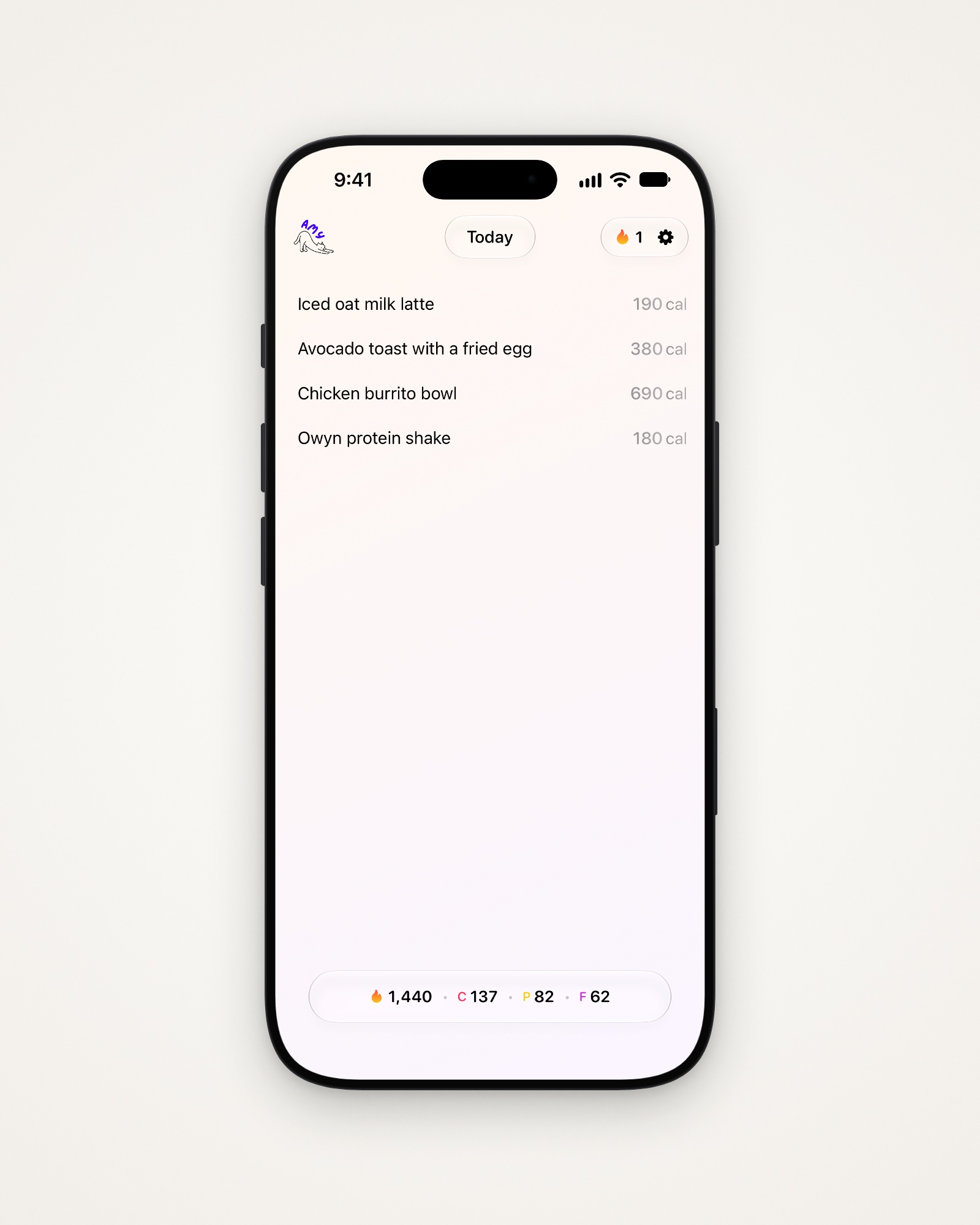
Tip: The more you say, the better the estimate: “two eggs scrambled in butter” beats “eggs”.
If calories don’t appear
- Queued means you’re offline. Amy works it out once you’re back online.
- Failed means Amy couldn’t finish. Tap Retry on the line.
Buttons above the keyboard
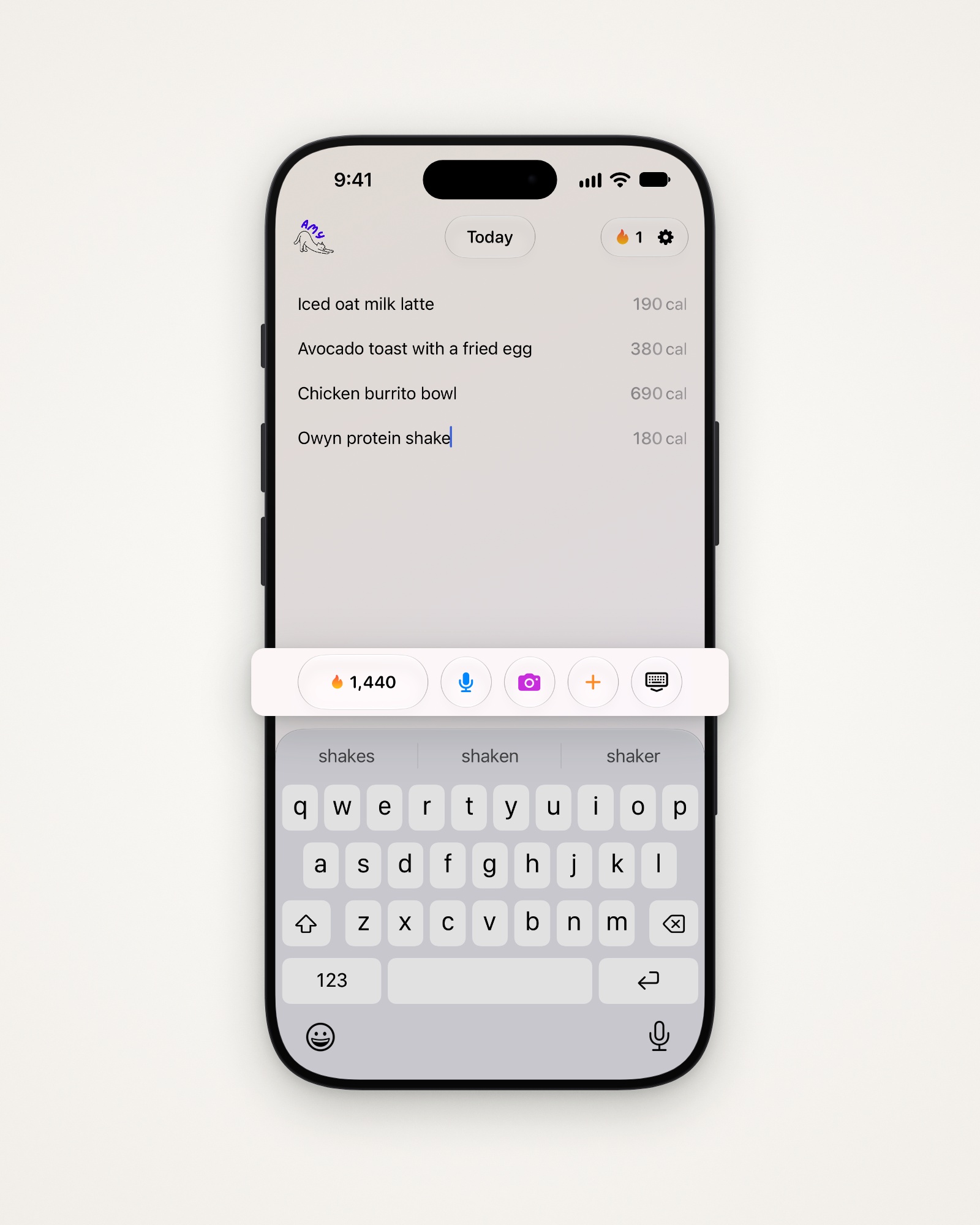
With the keyboard up, four buttons sit beside today’s calories:
- The microphone, to say what you ate.
- The camera, to log from a photo, barcode or menu.
- +, to add one of your saved meals.
- The keyboard button, to put the keyboard away.
Log on another day
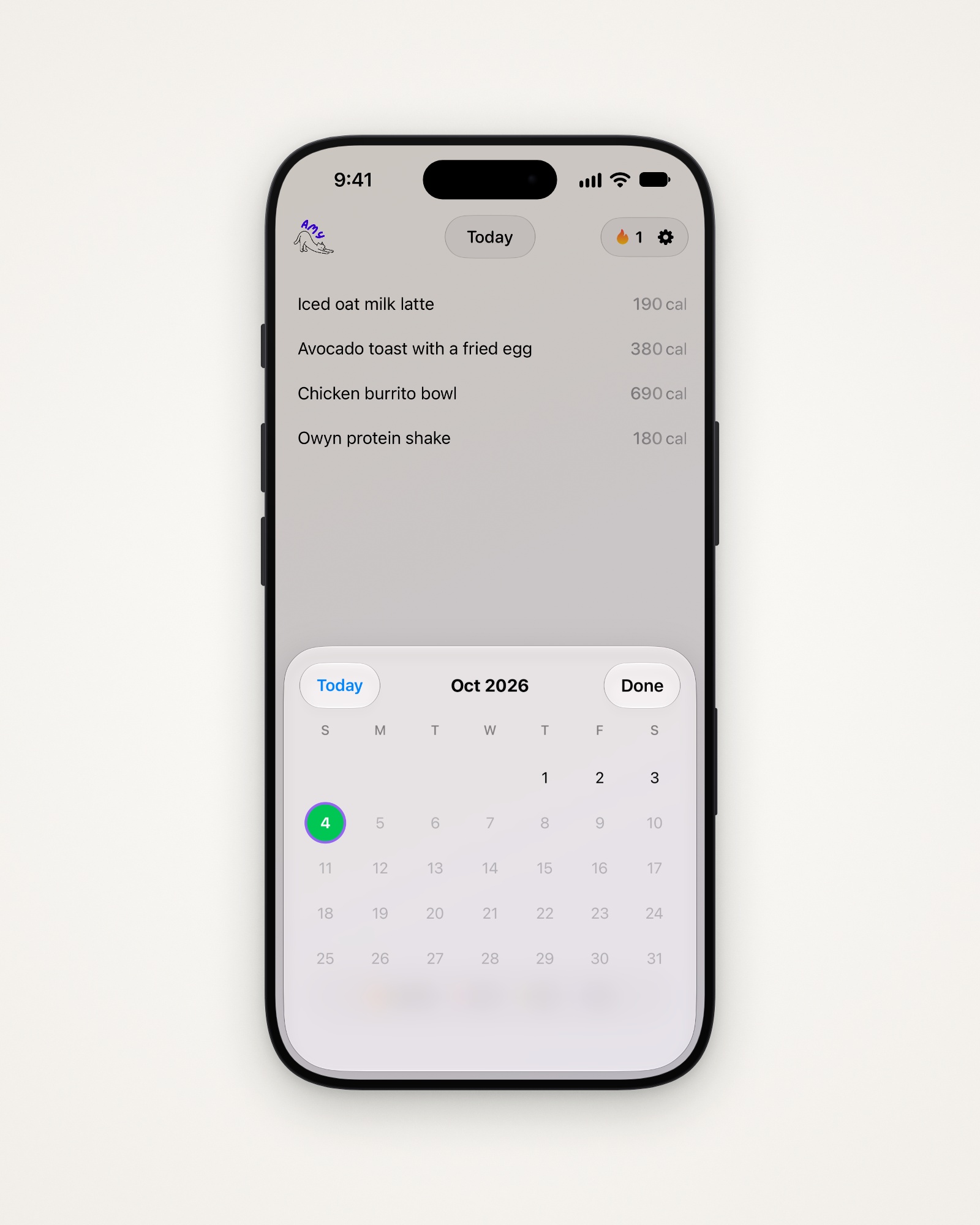
Swipe sideways on the note to move between days.
- Tap the date at the top to open the calendar.
- Pick a day. Green days were on track, red ones off track.
- Tap Today to come back, or Done to close it.
Change or remove a line
- Edit a line’s words, and Amy updates its estimate.
- Delete a line to remove that food.
- Tap a line’s calories to check or fix its numbers.
Last updated